Your Ultimate Guide to TikTok Ad Specifications for 2026
Getting your TikTok ad specs right is the first, and arguably most important, step to launching a successful campaign. At a bare minimum, you need to create content with a 9:16 aspect ratio, a resolution of at least 1080x1920 pixels, and a file size under 500MB.
Nailing these core requirements ensures your ads fit perfectly on the "For You" page, looking and feeling like native content. It’s also the fastest way to avoid frustrating rejections or performance issues right out of the gate.
Your Essential Quick-Reference Guide for TikTok Ad Specs
For those moments when you just need the numbers—fast—this section is your go-to. I've designed it as the ultimate cheat sheet for the most popular TikTok ad formats so you can get your creatives built to spec without any guesswork.
Think of these three pillars—aspect ratio, resolution, and file size—as the foundation for every video ad you run on the platform. Get these right, and you're already ahead.
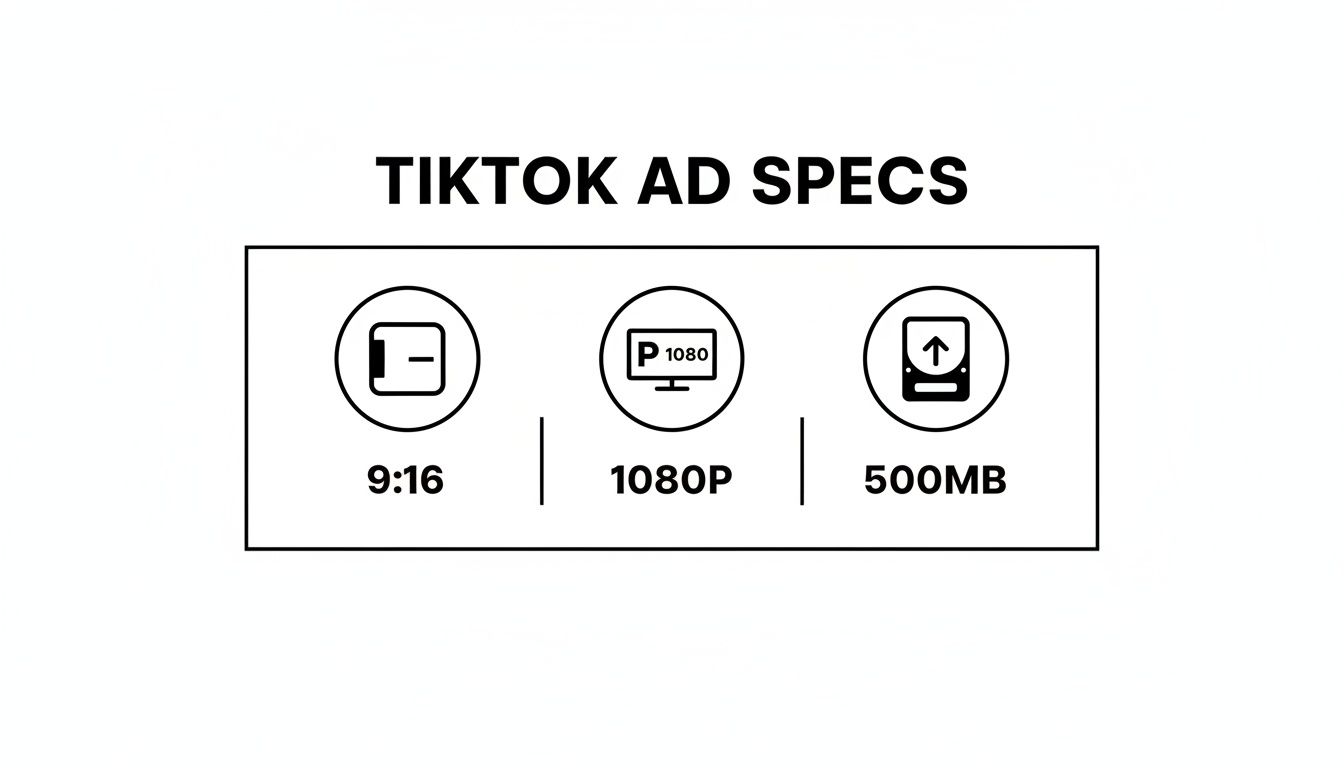
Mastering full-screen vertical video, high-definition quality, and a reasonable file size is non-negotiable if you want your ad to blend in seamlessly with the user experience.
Here’s a summary of the most critical technical specifications for major TikTok ad formats to ensure quick compliance and campaign optimization. Use this table as a final check before you upload your creative to prevent common rejections and set yourself up for the best possible performance.
Quick-Reference TikTok Ad Specifications for 2026
Ad Format | Aspect Ratio | Resolution (Pixels) | Optimal Duration | Max File Size |
|---|---|---|---|---|
In-Feed Video | 9:16 | 1080x1920p | 9-15 seconds | 500 MB |
TopView | 9:16 | 1080x1920p | 5-60 seconds | 500 MB |
TikTok Shop Ad | 9:16 | ≥720x1280p | 5-60 seconds | 500 MB |
Collection Ad | 9:16 | ≥720x1280p | 5-60 seconds | 500 MB |
Image Ad (Vertical) | 9:16 | 1080x1920p | N/A | <500 KB |
This chart gives you the core numbers at a glance, setting the stage for the more detailed breakdowns of each ad type you'll find later in this guide.
My biggest piece of advice? While each ad format has its own quirks, the 9:16 vertical format is the gold standard across almost all of TikTok's high-impact placements. Always design for this full-screen experience first. It helps you avoid awkward black bars or cropping that immediately scream "ad" to users and can tank your engagement before your message even lands. The goal is to feel like part of the feed, not an interruption.
A Deep Dive into In-Feed Ad Specs
In-Feed ads are the bread and butter of TikTok advertising. They show up directly in a user’s “For You” page, sandwiched between organic videos, making them feel native and less intrusive. But to get them right, you have to nail the technical specs. Messing these up is a surefire way to get your ad flagged by the algorithm or, worse, completely ignored by users.
First and foremost, your video must be full-screen vertical. This isn't just a suggestion; it's a hard requirement. We’re talking a 9:16 aspect ratio. If you upload a square or horizontal video, TikTok will slap ugly black bars on it, which is the fastest way to scream "I'm an ad!" and kill your engagement before it even starts.
Video Resolution and File Requirements
For your ad to look sharp and professional on a modern smartphone, you need to meet TikTok’s resolution standard. The minimum is 1080x1920 pixels. Anything lower will look grainy and cheap, which can lead to your ad being rejected or just performing poorly. You’re competing with crystal-clear organic content, so your visuals have to keep up.
Beyond how it looks, the file itself has some strict rules. Here's what you need to know:
Supported File Types: Stick to .mp4 or .mov files. Other formats won't be accepted.
Maximum File Size: Your video file can't be larger than 500 MB. This is pretty generous, but it’s still smart to compress your video effectively so you don't sacrifice quality for size.
Getting these details right from the start is critical. As the most common ad format on the platform, In-Feed ads can deliver fantastic results, but only if you play by the rules. We've seen creatives that miss these specs get hit with higher costs and throttled reach. For more context, this TikTok ads guide on creatify.ai offers a great overview of how specs impact performance.
Ad Duration and Copy Limits
TikTok allows In-Feed ads to run anywhere from 5 to 60 seconds, but from our experience, the real magic happens between 9 and 15 seconds. That's the sweet spot. It gives you just enough time to hook the viewer, get your main point across, and hit them with a call-to-action before they instinctively swipe to the next video.
Pro Tip: The first three seconds of your ad are everything. You need a powerful visual hook or a question that stops the scroll in its tracks. The best-performing ads get straight to the point.
Your ad copy is just as important, and you don’t have much room to work with. The ad description that overlays your video is capped at 1 to 100 characters, and yes, that includes spaces and emojis. Your copy has to be punchy, complement the video, and push people toward your goal. If you're looking for ways to make every character count, check out our guide on how to improve click-through rate. Honing this skill is essential for getting the most out of your ad spend.
TikTok Shop & Collection Ads: Turning Your Feed into a Storefront
For any e-commerce brand on TikTok, Shop Ads and Collection Ads are absolute must-haves. They essentially transform the "For You" page into a direct, interactive sales channel. What makes them so powerful is their ability to slash the friction between a user discovering your product and actually buying it—they can browse and purchase all without ever leaving the app. Getting the specs right for these formats is the key to creating that seamless, high-converting experience.
Unlike a standard In-Feed ad, these shoppable formats are a hybrid. They pair a video creative with an integrated product catalog, which means you have to pay close attention to both the video specs and the static product image specs to make the whole thing work.
Video Specs: The Initial Hook
The video component of your Shop or Collection Ad is your first impression. It has to be good enough to stop the scroll and entice someone to tap through to your product gallery. Think of it as the storefront window display.
Aspect Ratio: You have to use a full-screen 9:16 ratio. Anything else will look out of place.
Resolution: The minimum is 720x1280 pixels, but I always recommend uploading at 1080x1920p for a sharper look.
Video Duration: You get between 5 and 60 seconds. Test different lengths to see what resonates with your audience.
File Type & Size: Stick to .mp4 or .mov files and keep them under 500 MB.
While these video specs get your ad on the platform, the real conversion magic happens in the product details that show up after the tap.
Product Image & Text Specs: The Point of Purchase
When a user taps your ad, they're taken to an Instant Gallery Page where your products are front and center. TikTok is strict about these specs to keep the shopping experience clean and uniform for everyone.
An optimized product listing is non-negotiable here. Your goal is to show off your products clearly and concisely so someone can make a quick decision. Vague titles or badly cropped images will kill your conversion rate on the spot.
These integrated formats have completely changed e-commerce advertising by bringing the product catalog directly into the feed. This setup is perfect for driving impulse buys, especially on a platform where an estimated 15% of all product discoveries happen.
To really capitalize on this, your video must be 9:16 vertical with at least 720x1280p resolution. Just as important, your product images need to be a perfect 1:1 square at 1000x1000 pixels. Keeping your product titles under the 34-character limit is also vital for a clean display on all devices—a small detail that has a big impact on conversions. You can find more insights on this creator-driven economy by visiting almcorp.com.
Here are the critical specs you'll need for each item in your product catalog:
Product Image Specs
Aspect Ratio: A perfect 1:1 (square) ratio is mandatory. No exceptions.
Resolution: Upload images at 1000 x 1000 pixels to ensure they look crisp.
File Type: Use .jpg or .png.
Product Text Specs
Product Title: You have a very tight 34-character limit. Be descriptive but get straight to the point.
Product Description: The official limit is 1,000 characters, but in my experience, shorter is almost always better.
Following these TikTok ad specifications is your first step toward building a frictionless path to purchase. For brands looking to squeeze every bit of performance out of their campaigns, our guide on website conversion optimization offers more strategies that pair perfectly with a strong ad creative.
Your Guide to TikTok's Premium Ad Formats
When you need to make a massive splash and guarantee visibility, TikTok’s premium ad placements are the way to go. These aren't your everyday ads; they're high-impact formats designed to command a user's full attention the second they open the app. We're talking about Brand Takeover and TopView ads.
While both are definitely a bigger investment, they deliver serious results. Think of them as the Super Bowl commercials of TikTok. Let's break down what they are and exactly what you need to run them.
A Brand Takeover is exactly what it sounds like—it takes over the entire screen with a static image or a short, silent video the very moment a user launches TikTok. Since only one brand can own this spot per day in any given country, the reach is exclusive and massive.
Then there's the TopView ad. This is the first video a user sees in their "For You" feed. It's a full-screen, sound-on experience that essentially acts like an In-Feed ad on steroids, grabbing that coveted top spot before any other organic content.
Brand Takeover Specifications
A Brand Takeover is a user's very first impression of the app for the day, so the specs are incredibly tight to ensure a flawless experience. Your goal here is to make a powerful, immediate statement.
Aspect Ratio: This has to be a 9:16 vertical asset. No exceptions.
Resolution: Stick to 1080x1920 pixels for a crisp, full-screen display.
Duration: This format is all about a quick hit. Video length is strictly 3 to 5 seconds. You can also use a static image.
File Size: Keep your video file under 500 MB.
Supported Files: Your video needs to be an .mp4 or .mov file.
It's absolutely critical to know that Brand Takeovers don't have clickable elements or ad copy within the creative. The entire ad is one big tappable link that sends users to your destination page.
A common pitfall I see with Brand Takeovers is trying to cram too much into the creative. With just 3-5 seconds and no sound, your visual needs to be simple and instantly recognizable. Think bold logo reveals or a single, stunning product shot—that's what works best here.
TopView Ad Specifications
TopView ads give you a bit more room to play, mixing the high visibility of a takeover with the storytelling potential of a regular video ad. These are perfect for weaving a narrative and driving a specific action, since you have both sound and a clear call-to-action at your disposal.
The specs look a lot like other full-screen video ads on TikTok, but the duration is the key difference.
Aspect Ratio: A 9:16 vertical format is required.
Resolution: You'll need to submit your ad at 1080x1920 pixels.
Duration: Here's the big advantage—TopView ads can run for up to 60 seconds, giving you much more creative runway than a Brand Takeover.
File Size & Type: The maximum file size is 500 MB, and you'll need to use either .mp4 or .mov files.
Safe Zones: Just like In-Feed ads, be mindful of the TikTok UI. Keep all your essential text, logos, and CTA buttons away from the bottom and right-side areas of the screen where they can get covered up.
Since both of these are premium placements, getting the TikTok ad specifications perfect isn't just a suggestion—it's a requirement. To justify the investment, you absolutely need a powerful visual hook in the first few seconds to capitalize on the guaranteed attention these formats provide.
Creative Specifications for Branded Content and Effects
If you want to tap into the real, community-driven power of TikTok, you have to go beyond standard ads. This is where interactive formats like Branded Hashtag Challenges and Branded Effects come in. They aren't just ads; they're invitations for users to create content with your brand, which is how you unlock massive user-generated content (UGC) and viral potential.
Launching these campaigns, however, requires a completely different set of creative assets than a typical video ad. Getting these specs right from the start is what separates a campaign that becomes part of the culture from one that just feels like another ad cluttering the feed.
Branded Hashtag Challenge Specifications
A Branded Hashtag Challenge is a full creative package. You’re not just submitting one video; you’re providing all the pieces TikTok needs to build the official Challenge Page. This page acts as the central hub where all the UGC will live, so every element needs to be on point.
The most important piece is your main video, which kicks off the challenge and shows everyone exactly what you want them to do.
Official Challenge Video: This needs to be a 9:16 aspect ratio video, and we recommend a 720x1280 pixel resolution. While you can go up to 60 seconds, the sweet spot for performance is usually between 21-34 seconds.
Hashtag: This is your campaign's identity. It must be unique to your brand and is subject to approval by TikTok’s team.
Challenge Description: You get 70 characters for the preview text, so make it punchy and clear. The full description on the challenge page can be up to 200 characters.
When combined, these elements create a challenge page that feels inviting and makes it incredibly easy for users to jump in and participate.
Branded Effects Technical Guidelines
With Branded Effects, you can create custom 2D, 3D, and even AR filters that users can apply to their own videos. These are built using TikTok’s own Effect House platform, which comes with some strict technical guidelines to ensure your effect works perfectly on any device.
From my experience, the Branded Effects that truly take off are either visually stunning or genuinely useful—think of a virtual "try-on" filter for a beauty brand or a simple, fun game. The effect is the ad, so it has to be compelling all by itself.
When you submit your effect, you're actually submitting a package with several key components.
Effect File: This is the core asset you build in Effect House. The entire project folder has a strict size limit and must be under 8 MB.
Effect Icon: This is the little thumbnail for your effect in the creator panel. It needs to be a 160x160 pixel PNG file.
Hint/Trigger Instructions: This is the short text that tells users how to use the effect (e.g., "Tap the screen," "Raise your eyebrows").
Effect Name: You have a 30-character limit, but I'd strongly suggest keeping it under 18 characters so it doesn't get cut off on smaller screens.
Nailing these specs is crucial for passing TikTok's technical review. More importantly, it ensures your effect delivers a smooth, engaging, and fun experience for every single person who gives it a try.
A Guide to Spark Ads and Image Ads
Beyond the standard video formats, TikTok gives advertisers a couple of other powerful tools: Spark Ads and Image Ads. Each serves a very different purpose, allowing you to either double down on content that’s already winning or deliver a quick, static message to a broader audience.
The Power of Spark Ads
First off, it's important to know that Spark Ads aren't a separate creative format. Instead, they're a feature that lets you boost existing organic TikTok posts—either your own or a creator's—and run them as In-Feed Ads. This is your chance to put real advertising dollars behind content that has already proven its mettle with likes, comments, and shares.
Since you're using a post that's already live, you don't need to worry about new video specs. The real work is in selecting the right video. Look for a post with strong organic engagement; that's your prime candidate for a Spark Ad campaign.
The process itself is quite simple. The original creator just needs to generate a unique ad code for their video right inside the TikTok app, which gives you permission to promote it. With that code in hand, you can head into the TikTok Ads Manager, set up your campaign, add a call-to-action, and define your audience.
The magic of Spark Ads is their authenticity. They look and feel just like native content because, well, they are native content. This approach almost always leads to better engagement and builds more trust than a heavily polished ad, making it perfect for jumping on viral trends or amplifying user-generated content (UGC).
TikTok Image Ad Specifications
While video is king on the "For You" page, TikTok also supports static Image Ads. These primarily show up in TikTok’s other news feed placements, like through the Pangle ad network. They offer a simple, effective way to get your message out, especially for straightforward product callouts or announcements.
To ensure your image ads look sharp and professional, you'll need to stick to the following specs:
File Size: Keep your image under 500 KB.
File Type: Only .jpg or .png files are accepted.
Ad Copy: You have between 1 and 100 characters for your ad's description.
Brand Name: Your brand name needs to be 2 to 20 characters long.
One of the biggest advantages of image ads is the flexibility you get with the aspect ratio. This makes it much easier to repurpose existing creative you might already have from other platforms.
You can pick from three different aspect ratios, which gives you a lot of room to work with:
Vertical (9:16): This is your classic full-screen mobile format.
Square (1:1): A versatile ratio that performs well in many different ad placements.
Landscape (1.91:1): A great option if you're adapting wider, more traditional ad creatives.
By getting a handle on how and when to use Spark Ads and Image Ads, you can seriously expand your advertising playbook on TikTok. It's all about picking the right format to deliver the right message to the right audience.
Technical Guidelines for Pixel Tracking and Optimization
A killer creative is a great start, but if you aren't tracking your results accurately, you're essentially flying blind. Proper tracking is what separates guessing from smart, effective ad spending. For any serious advertiser on TikTok, this means mastering the TikTok Pixel and the Events API.
The TikTok Pixel is a small piece of code you place on your website. It acts as a bridge, sending data back to TikTok about what people do after they click your ad—like viewing a product, adding something to their cart, or making a purchase. If you're using a platform like Shopify, installation is often a simple one-click process that gets you up and running in minutes.
Configuring Standard and Custom Events
With the pixel installed, the next job is to tell it what actions to watch for. These are called events. TikTok provides a list of standard events that map directly to the typical customer journey.
View Content: Fires when someone lands on a key page, such as a product page.
Add to Cart: Tracks when a user puts an item in their shopping cart.
Initiate Checkout: Records the moment someone starts the checkout process.
Complete Payment: This is the big one. It confirms a successful purchase.
Setting up these events gives you a clear picture of your conversion funnel. You can spot exactly where potential customers are dropping off. For example, if you see tons of 'Add to Cart' events but very few 'Complete Payment' events, you might have a problem with your checkout flow that needs fixing.
Combating Data Loss with the Events API
The pixel is fantastic, but it's not invincible. It relies on the user's browser, which means it can be disrupted by ad blockers, cookie restrictions, and other privacy settings, leading to lost data. To get a more reliable and complete picture, you absolutely need to implement the TikTok Events API.
The Events API creates a direct, server-to-server connection between your website and TikTok. This bypasses the browser entirely, sending data straight from your server to theirs.
This server-side method is far more durable against the client-side issues that plague pixel-only tracking. The result? More accurate and complete conversion data. In fact, the gold standard for tracking today is using both the pixel and the Events API together. For a deeper dive into how server-side tracking works, our guide on the Meta Conversions API covers very similar principles that are just as applicable here.
Ultimately, getting your technical tracking right is just as crucial as nailing your TikTok ad specifications. Clean, accurate event data is the bedrock of good decision-making, allowing you to diagnose performance, spot creative fatigue, and make every ad dollar count.
Frequently Asked Questions About TikTok Ad Specs
Getting your TikTok ads live can sometimes feel like a moving target. Even when you've double-checked every spec, you might hit a snag that isn't immediately obvious. This section dives into some of the most common questions and roadblocks advertisers run into, giving you clear answers to get your campaigns back on track.
Remember, even with technically perfect specs, the quality of your creative is a huge piece of the puzzle for TikTok's ad review. A "low quality" rejection often points to a creative problem, not a technical one.
What Is the Best Video Length for a TikTok Ad?
While TikTok's In-Feed ads can run anywhere from 5 to 60 seconds, performance data points to a very specific sweet spot. For most campaigns, the optimal length is between 9 and 15 seconds.
That short window is just right for grabbing a user's attention, getting your core message across, and driving them to act before they scroll away. Videos shorter than nine seconds often feel rushed and fail to deliver enough information, while anything over 15 seconds tends to see a steep decline in watch-through rates, which means you're paying for unwatched ad time.
Why Was My Ad Rejected for Low Quality?
Meeting all the technical requirements is only the first step. TikTok’s review team also cares a lot about the creative itself. If you get a "low quality" rejection, it's almost always tied to one of these common pitfalls:
Static Images or Simple Slideshows: Ads that are just a still image with some background music are a big red flag. TikTok is a video-first platform and expects dynamic, moving content.
Blurry or Low-Resolution Video: Your footage has to be sharp. Anything under 720p resolution will look unprofessional and likely get rejected.
Blocked Safe Zones: Be careful not to place important text, logos, or your CTA in the areas covered by the TikTok interface. The UI elements on the bottom and right side of the screen will hide them, leading to a rejection.
Always make sure your video is high-resolution, has plenty of motion, and keeps all your key messaging in the central safe zone. The ad preview tool is your best friend for catching this before you submit.
Can I Use a Square or Portrait Video?
For immersive, full-screen formats like In-Feed and TopView ads, the answer is a hard no. Sticking to the 9:16 vertical aspect ratio is non-negotiable if you want that native, full-screen experience.
If you try to upload a 1:1 (square) or 4:5 (portrait) video, TikTok will automatically add black or blurred bars to fill the screen. This immediately screams "I'm an ad," looks out of place, and tanks performance by shattering the natural feel of the "For You" page.
Key Takeaway: The "safe zone" is that critical area in the center of the screen where your most important visuals and text must be placed. This ensures they aren't covered by TikTok’s interface, such as the username, caption, and engagement icons. Always double-check your creative in the preview tool to make sure nothing crucial is getting blocked.
Stop guessing what’s wrong with your ads and start getting clear, actionable insights. SpendOwlAI analyzes your ad performance daily, turning complex data into a simple to-do list that tells you exactly what to change—and what to leave alone. Start your free trial and execute with confidence.