How to Calculate CPA and Lower Your Ad Costs
Calculating your Cost Per Acquisition (CPA) is surprisingly simple on the surface: just take your total ad spend and divide it by the total number of acquisitions. This one formula is your starting point for figuring out what it really costs to win a new customer, nab a sign-up, or land a lead from your ads.
Your Guide to Understanding and Calculating CPA
Cost Per Acquisition, or CPA, is a non-negotiable metric for any brand that wants to advertise profitably. It cuts right through the fluff of vanity metrics like clicks and impressions to tell you one crucial thing: how much money you spent to get one specific result.
That result could be anything—a sale, a new email subscriber, a demo booking—but CPA grounds your marketing decisions in financial reality.
Without a solid handle on this number, you’re basically flying blind. It's easy to get excited about a campaign that drives thousands of website visits, only to realize later that it cost $200 to acquire each $50 customer. That’s a fast track to burning through your budget. Understanding CPA is the first step toward building a growth engine that actually lasts.
The Foundational CPA Formula
At its core, the math is refreshingly simple. You only need two pieces of information: how much you spent and what you got for it.
Here’s a quick breakdown of what goes into that formula.
The Core CPA Formula and Its Components
Component | Definition | Example |
|---|---|---|
Total Ad Spend | The total amount of money you invested in a specific ad campaign, ad set, or channel over a set time. | You spent $5,000 on a Meta Ads campaign in May. |
Total Acquisitions | The total number of desired actions (conversions) that resulted from that ad spend. | That $5,000 campaign generated 100 new customer sales. |
This table makes it clear how straightforward the inputs are. Now, let's put them together.
For a real-world example, imagine your e-commerce team pours $5,000 into a Meta Ads campaign and it results in 100 new sign-ups. Your CPA comes out to exactly $50 per acquisition.
Historical benchmarks paint a pretty interesting picture here. While 2023 data showed an average Google Ads CPA of $31.75, older stats revealed Google Search averaged $56.11 while Display sat at $90.80. It’s a great reminder that higher search intent can dramatically lower acquisition costs. You can dig into more historical CPA benchmarks on Salesforce to see how things have evolved.
Key Takeaway: Your CPA isn't just a number; it's a direct measure of your campaign's efficiency. A low CPA means you're acquiring customers cost-effectively. A high CPA is a red flag that your strategy or targeting needs a second look—fast.
While the math itself is easy, the real-world application gets a bit messy. The CPA reported in your Meta Ads dashboard will almost never perfectly match the one you calculate using data from Google Analytics or your Shopify store. This happens because of different attribution models and tracking technologies, a critical detail we’ll unpack later.
For now, just focus on mastering this basic formula. It’s the essential first step.
Finding Your CPA on Different Ad Platforms
Knowing the CPA formula is one thing, but pulling the right numbers from your ad platforms is where things get tricky. Every platform—from Meta and Google right down to your own Shopify dashboard—reports data in its own unique way. If you're not careful, it's easy to get confused, miscalculate, and make bad decisions based on faulty data.
Let's walk through where to find your spend and acquisition numbers in each of these environments and, more importantly, how to deal with the discrepancies you're guaranteed to find.
The relationship between your ad spend, the acquisitions you generate, and the final CPA is pretty straightforward, as this visual shows.
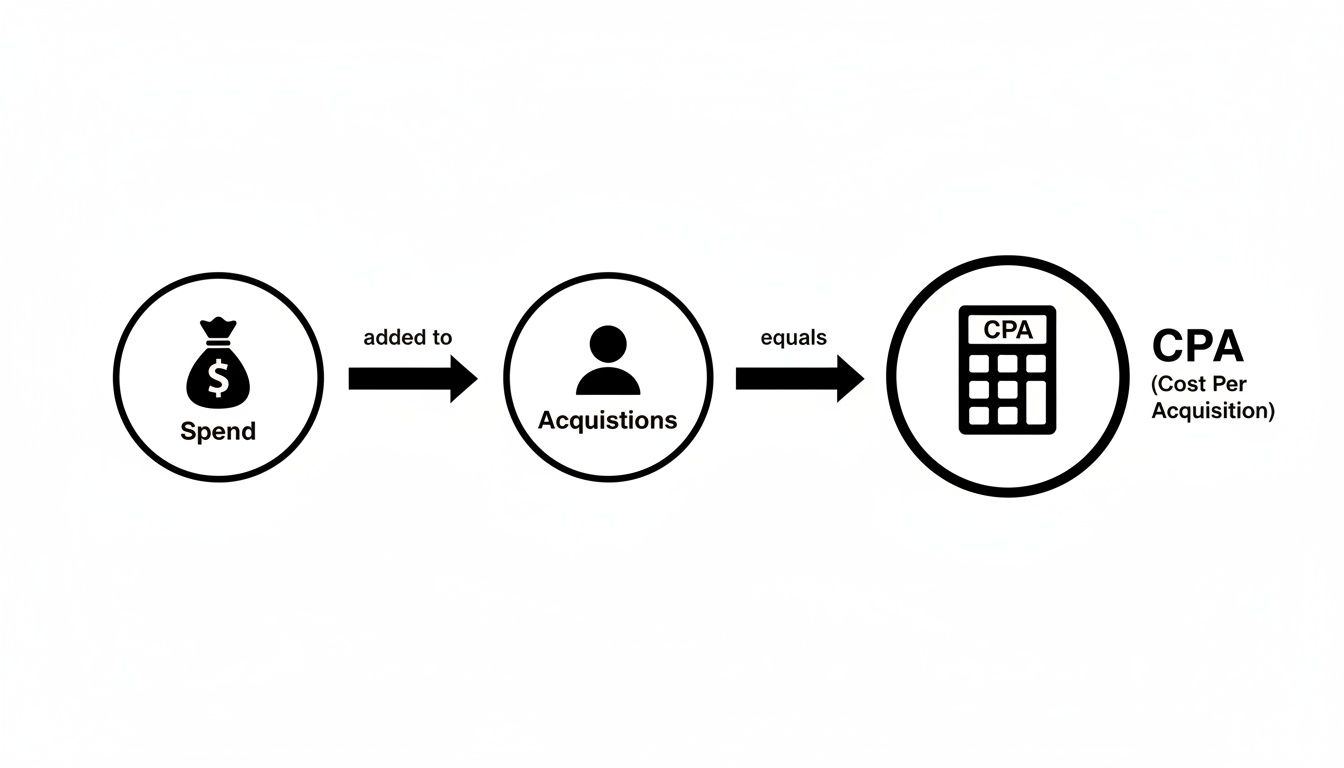
It all flows from investment (spend) to results (acquisitions), which directly determines your final cost (CPA). Tracking these two core components is what it's all about.
Calculating CPA in Meta Ads
Finding your core metrics inside Meta Ads Manager is thankfully pretty simple. The first thing you'll want to do is customize your columns to prominently display "Amount Spent" and "Results."
The "Results" column automatically shows the number of conversions that align with your campaign objective—whether that's purchases, leads, or sign-ups.
For example, if you're running a lead generation campaign and the report shows $1,000 in "Amount Spent" and 50 "Results" (leads), your CPA is $20. Just make sure your campaign objective is set correctly from the start, otherwise this "Results" metric won't mean much.
Calculating CPA in Google Ads
Google Ads works in a similar way but gives you a lot more control over reporting. You'll be looking at the "Cost" column for your ad spend and the "Conversions" column for your acquisitions.
Now, here’s a key difference: Google often tracks multiple conversion actions at once. A single campaign might be tracking both "Purchases" and "Newsletter Signups." You have to filter your reports to show only the specific conversion action that matters for your CPA calculation. If you don't, you risk inflating your acquisition numbers with lower-value actions.
Clean tracking often starts with well-structured URLs. If you want to dive deeper, our guide on using UTM parameters for Google Analytics is a great place to start.
Why Platform Data Never Matches Shopify
This is probably one of the biggest headaches for e-commerce operators: the number of purchases Meta or Google reports almost never matches what you see in your Shopify dashboard.
Key Insight: This happens because ad platforms and e-commerce stores use completely different attribution models. Meta might take credit for a sale if a user just viewed your ad and bought something a week later. Shopify, on the other hand, usually relies on a last-click model, giving credit to the very last touchpoint before the sale.
This discrepancy isn’t an error—it's just a different way of looking at the customer journey. So, which number should you trust?
Platform Data (Meta/Google): Use this for optimizing inside the platform. It helps you figure out which ad creative is performing best or which audience is responding.
Shopify Data: This is your source of truth for overall business health and actual profitability.
To get the most accurate, business-critical CPA, you should always take the total ad spend from the platform and divide it by the total acquisitions reported in Shopify. This blended approach gives you a true measure of what you paid for a confirmed sale, creating a single source of truth for your most important decisions.
Digging Deeper: Advanced CPA Calculations for a Clearer Picture
The basic CPA formula is a great starting point, but it's just that—a start. If you stop there, you're looking at your performance with one eye closed. To get a real, unvarnished look at profitability, you have to embrace the messy reality of modern customer journeys.
One of the biggest culprits of skewed data is the attribution window. This is the timeframe an ad platform gives itself to take credit for a sale after someone interacts with an ad. Meta, for example, defaults to a 7-day click and 1-day view window, which often paints an overly rosy picture.
Think about it: a customer clicks your Meta ad on Monday, browses, gets distracted, and finally buys on Friday after clicking a link from your newsletter. In this common scenario, both Meta and your email platform will likely take credit for the sale. This is where things get muddy, and why understanding different marketing attribution software models is so critical.

Cutting Through the Noise with Blended CPA (MER)
To sidestep the chaos of competing platform data, smart operators lean on Blended CPA, also known as Marketing Efficiency Ratio (MER). This is your big-picture metric. It completely ignores what the ad platforms are telling you and focuses on the overall health of your marketing engine.
The formula is refreshingly simple:
MER = Total Revenue / Total Ad Spend
Or, if you prefer to see it as a blended cost per acquisition:
Blended CPA = Total Ad Spend / Total New Customers
You just take all your ad spend—from Meta, Google, TikTok, you name it—and divide it by the total number of new customers you see in your source of truth, like Shopify. This gives you the ground-level truth of what it costs to get one person to buy, no matter which channel claims the win.
Think of Blended CPA as your ultimate guardrail. If your platform CPAs look amazing but your Blended CPA is creeping up, that’s a massive red flag. It often means your channels are double-dipping and taking credit for the same conversions, or your overall marketing mix is losing its punch.
Uncovering Your True CPA by Factoring in Returns
For anyone selling physical products, the story doesn't end when the credit card is charged. Returns and cancellations can devastate your profitability, and your CPA calculation needs to reflect that. This is where we calculate your True CPA.
Let's walk through an example. You spend $5,000 and acquire 100 new customers. Your standard CPA is a neat $50.
But what happens next? If 15 of those customers end up returning their orders, you didn't really acquire 100 customers. You only netted 85.
So, your True CPA is actually: $5,000 / 85 = $58.82.
Suddenly, your real acquisition cost is nearly 18% higher. Ignoring this could trick you into scaling a campaign that's actually a money pit. Regularly refreshing your CPA with real return data is the only way to get an honest assessment of your performance.
Common CPA Tracking Pitfalls and How to Fix Them
Calculating CPA seems simple on the surface, but your data can lead you astray in a heartbeat. Bad data is poison for your decision-making, tricking you into scaling losing campaigns or killing off potential winners. Even a small miscalculation can cost you thousands in wasted ad spend.
The old saying holds true: garbage in, garbage out. If your tracking isn't airtight, your CPA number is just a guess. This is exactly why auditing your data and fixing tracking issues needs to be a constant priority, not just some task you get to once a year.

Frustratingly, many of the most common tracking pitfalls are subtle. They don't flash big red error messages. Instead, they quietly corrupt your numbers over time, leading to a slow, painful erosion of performance.
Improper Pixel and CAPI Setups
I've seen it a hundred times: one of the most frequent culprits behind skewed CPA data is a botched tracking setup. An improperly configured Meta Pixel or a buggy Conversion API (CAPI) integration can cause chaos, leading to both undercounting and overcounting.
For example, if the pixel fires on page load instead of on the actual purchase confirmation, you'll see wildly inflated conversion numbers and a dangerously low CPA. On the other hand, a CAPI that fails to send server events correctly will underreport sales, making your campaigns look far more expensive than they are.
Here’s where I’d start troubleshooting:
Dive into Meta's Events Manager: This tool is your first line of defense. Look for diagnostic warnings about event match quality or deduplication problems. They’re usually shouting the answer at you.
Test Events in Real-Time: Use the "Test Events" feature to walk through a purchase on your site. You can watch exactly which events fire and what data is passed back to Meta. It takes the guesswork out of it.
Pro Tip: Consistently poor event match quality is a massive red flag. It means Meta is struggling to connect conversions back to user profiles, which torpedoes your ad delivery and reporting. You should be aiming for a match quality score of 6.0 or higher.
Cross-Domain Tracking Errors
Another classic pitfall pops up when a customer's journey spans multiple domains. Imagine a user clicks an ad, lands on brand.com, but then completes their purchase on a separate checkout domain like checkout.brand.com.
Without proper cross-domain tracking, your analytics platform sees this as two completely separate sessions. The ad click that started it all loses credit, and the conversion often gets misattributed to "Direct" traffic. Suddenly, your ad campaign's CPA looks terrible while your direct traffic seems to be performing miracles.
The fix usually involves telling your analytics tool that both domains are part of the same user journey. In Google Analytics, for instance, you need to add both domains to your referral exclusion list so the session isn't broken.
This is where a tool like SpendOwlAI can be a lifesaver. It’s designed to flag unusual performance shifts that often point to an underlying tracking break, acting as a critical guardrail for your ad spend. By monitoring for sudden changes in CPA or conversion volume from specific channels, it helps you spot these problems before they can derail an entire quarter’s budget. It turns your data into a defense mechanism.
Using CPA Data to Make Smarter Decisions
So, you've calculated your CPA. That's the easy part. The real magic happens when you start using that number to make smarter, more profitable decisions for your business. An isolated CPA figure doesn't tell you much, but when you put it into context—comparing it to your past performance and industry benchmarks—it becomes an incredibly powerful tool.
Your first move should always be to establish your own baseline. There's no universal "good" CPA; it's entirely relative to your business model, profit margins, and goals. The most crucial comparison is always against yourself. Is your CPA for a specific campaign higher or lower than it was last month? That trend line is your single most reliable health indicator.
Benchmarking and Trend Analysis
Once you have a solid internal baseline, you can start looking outward. Checking your CPA against industry averages can give you a sense of how you stack up against the competition. But a word of caution: treat these benchmarks as a directional guide, not a hard-and-fast target. Your unique profit margins and customer lifetime value (LTV) are what ultimately determine a sustainable CPA for you.
When you analyze CPA trends over time, you start to uncover the story behind the numbers. Is your CPA creeping up month after month? This could point to a few common culprits:
Creative Fatigue: Your ads have been running for a while and are starting to feel stale to your audience.
Audience Saturation: You've likely reached the most eager segment of your target market, and now you're paying more to convert less-interested users.
Increased Competition: More advertisers are bidding for the same eyeballs, which naturally drives up auction prices.
Figuring out why your CPA is changing is the key. It lets you take precise, corrective action instead of just making blind budget cuts and hoping for the best.
From Data to Decisive Action
Think of your CPA data as a roadmap for your budget. By breaking down your CPA by channel, campaign, or demographic, you can uncover some massive opportunities for efficiency.
For example, you might discover your Google Search Ads have an average CPA of $56.11, while your Display campaigns are clocking in at a much higher $90.80. That 62% premium isn't random; it’s all about user intent. People on Search are actively looking for a solution, which makes them far cheaper to convert. You can dig into more data on how ad costs vary by platform on Umbrex.
The same logic applies when you slice the data by demographics. A deeper analysis might reveal that the 18-24 age group has a $25 CPA (28% below your average), but the 55+ segment costs you $45 per acquisition. With this insight, the path forward is clear: shift spend from Display to Search and double down on your most cost-effective demographics.
The Framework for Action: Don't just let your CPA data collect dust in a report. Use it every single week to make three critical decisions: what to scale, what to kill, and what to test. A campaign with a consistently low and stable CPA is a green light to scale. One with a high and rising CPA is a clear signal to kill that ad set.
Ultimately, the goal is to continuously feed your marketing budget into the channels, campaigns, and audiences that deliver the best returns. And remember, a falling CPA is often a direct result of a rising conversion rate. For a deeper look at that side of the equation, check out our guide on actionable strategies for website conversion optimization. This cycle of constant analysis and reallocation is how you transform a simple metric into a dynamic, profit-driving strategy.
Common Questions About CPA (and Straightforward Answers)
Knowing the formula for CPA is one thing. Actually applying it in the messy, real-world context of your ad accounts is another beast entirely. Once you start digging into the numbers, a ton of practical questions inevitably pop up.
Let's walk through some of the most common ones I hear from other operators and clear up the confusion.
What’s a “Good” CPA for My E-commerce Business?
I wish there was a magic number, but there isn't. The real answer is: it depends entirely on your store's economics. What matters most are your Average Order Value (AOV) and, even more importantly, your Customer Lifetime Value (LTV).
The only rule that matters is that your CPA has to be low enough to leave you with a healthy profit margin over the long haul.
Think of it this way: if your average customer spends $300 with you over their lifetime, a $50 CPA is a home run. You’re spending $50 to make $300. But if your CPA is $250, you’re on a fast track to going out of business.
While you can peek at industry benchmarks, your own profitability is the only true north. A great rule of thumb to start with is aiming for an LTV-to-CPA ratio of at least 3:1.
How Often Should I Be Checking My CPA?
Your review schedule should mirror how quickly you need to make decisions. For any campaigns you’re actively running, you should be glancing at your CPA daily. This is your early warning system—it helps you catch any sudden performance drops or tracking glitches before they burn a serious hole in your budget.
But here's a crucial tip: don't make knee-jerk strategic decisions based on a single bad day. Performance always has its ups and downs.
Weekly check-ins are perfect for spotting real trends and making smart optimizations. This is when you might adjust budgets between ad sets or kill off creative that's losing steam.
Monthly and quarterly reviews are for the bigger picture. This is where you zoom out and think about major budget shifts, like moving money between channels like Meta and Google.
Why Is My CPA in Ads Manager So Different from Shopify?
Ah, the classic question. If you've ever felt like you're going crazy seeing two different numbers, you're not alone. This almost always boils down to one thing: attribution.
Platforms like Meta and Google Ads use their own tracking pixels and attribution models. They're built to give themselves credit for a sale if a user simply interacted with an ad within a specific timeframe (like a 7-day click or 1-day view). They want to show you they're working.
Your Shopify store, on the other hand, usually just sees the final click that brought the customer to your site. This is a fundamental difference in how they measure success. That's why it's absolutely non-negotiable to pick a single source of truth—whether it's Shopify, Google Analytics, or another platform—and stick to it for your core business reporting.
Here's the key takeaway: The discrepancy isn't a mistake; it's just two different ways of looking at the data. Use the ad platform's CPA to optimize campaigns inside that platform, but trust your store's data as the final word on what's actually profitable.
How Can I Actually Lower My CPA?
Lowering your CPA isn't about finding a single secret hack. It's a game of inches—a constant cycle of testing, learning, and refining every part of your customer's journey.
Some of the highest-leverage things you can work on are:
Sharpening Your Ad Creative: Better creative gets a higher Click-Through Rate (CTR). A higher CTR means you’re paying less for more relevant traffic, which is one of the most direct ways to bring down your CPA.
Refining Your Audience Targeting: Are you really reaching the right people? Constantly test and narrow your targeting to focus your budget on the users who are most likely to buy.
Optimizing Your Landing Page: You can have the best ad in the world, but if your landing page is slow, confusing, or unconvincing, you're burning money. A smooth user experience is a conversion machine.
Doubling Down on What Works: Dive into your data. Find out which campaigns, audiences, or ads are your efficiency superstars and shift your budget from the laggards to the winners.
Stop letting noisy data lead to wasted ad spend. SpendOwlAI delivers a prioritized list of actions to take in your ad accounts every single day, complete with transparent rationale. Find out what deserves your attention and what should be left alone by signing up for a free 7-day trial.