UTM for Google Analytics A Practical Guide to Flawless Campaign Tracking
If you're not using UTM parameters in Google Analytics, you're not just missing data—you're flying blind. Instead of guessing which marketing efforts are actually working, these small text snippets added to your URLs give you the ground truth. They tell you exactly which ads, emails, or social posts are driving traffic and conversions, providing the clear, actionable data you need to stop wasting money.
Why Flawless UTM Tagging Is Non-Negotiable
Let's get one thing straight: UTM parameters are far more than just bits of text in a URL. They are the absolute bedrock of accurate marketing attribution in Google Analytics. Without a disciplined approach, you simply can't tell your high-performing campaigns from the ones that are just draining your budget.
Imagine a direct-to-consumer brand spending six figures a month on paid ads. Without proper UTM tagging, all that expensive traffic gets dumped into GA4's generic "(other)" or "unassigned" channels. When the leadership team inevitably asks, "Which campaigns drove the most sales last quarter?" you have no credible answer. This isn't just a reporting headache; it’s a direct threat to your marketing budget and your credibility as a marketer.
The Financial Cost of Messy Data
Inconsistent or missing UTMs create complete data chaos. Traffic from a paid Facebook ad might show up as facebook.com / referral, blending in with organic social visits. A click from your latest email newsletter could get miscategorized as Direct traffic, making the entire campaign look like a total failure. This kind of messy data makes calculating a true return on ad spend (ROAS) impossible.
The core problem with poor UTM hygiene is that it forces you to make budget decisions based on gut feelings rather than hard evidence. When you can't prove what's working, you can't justify scaling what's successful or cutting what's failing.
On the flip side, disciplined UTM governance transforms this mess into a goldmine of actionable intelligence. It gives you the power to confidently answer the most critical business questions:
Which specific email campaign drove the most revenue?
Did the video creative outperform the carousel ad in our latest Meta campaign?
Which affiliate partner is sending us the highest-quality traffic?
Answering these questions accurately is a massive competitive advantage. For performance marketers, mastering UTMs in Google Analytics directly translates into measurable revenue. We've seen it time and again—when companies get serious about tagging every single URL, they can often reallocate 10–30% of their budget from underperforming channels to higher-ROAS activities within just a few months.
One team, for example, discovered through proper tracking that their Google Search ads were closing deals worth $16,000, while Google Display ads had an unexpectedly high conversion rate. This insight completely reshaped their ad spend strategy overnight. You can dive deeper into UTM tracking case studies and their financial impact.
From Confusion to Clarity
A flawless UTM strategy gives you the power to see your entire marketing ecosystem with perfect clarity. You can finally understand the real customer journey, attribute conversions correctly, and prove the value of your team's work.
This clarity is also crucial for optimizing your campaigns. By knowing precisely which messages resonate with your audience, you can refine your creative and significantly improve your click-through rate.
This isn't just about making cleaner reports. It's about making smarter, faster, and more profitable decisions that drive real, sustainable business growth.
Creating a UTM Naming Convention That Actually Works
This is where the rubber meets the road. I've seen countless marketing teams trip up when they try to move from understanding UTMs to actually implementing them. If you want clean, reliable data in Google Analytics, a rock-solid, scalable UTM naming convention isn't just nice to have—it's everything. This isn't just for massive agencies either; even a solo entrepreneur needs a system to stop their reports from becoming a complete disaster.
Forget the generic, one-size-fits-all advice. A truly great system is opinionated, built on rules that have been tested in the real world. The framework I'm about to lay out will help you build a convention that scales whether you’re managing one brand or a hundred.
This flowchart paints a perfect picture of the journey: from a tangled mess of untagged traffic to crystal-clear reports that are actually useful, all powered by a smart UTM strategy.
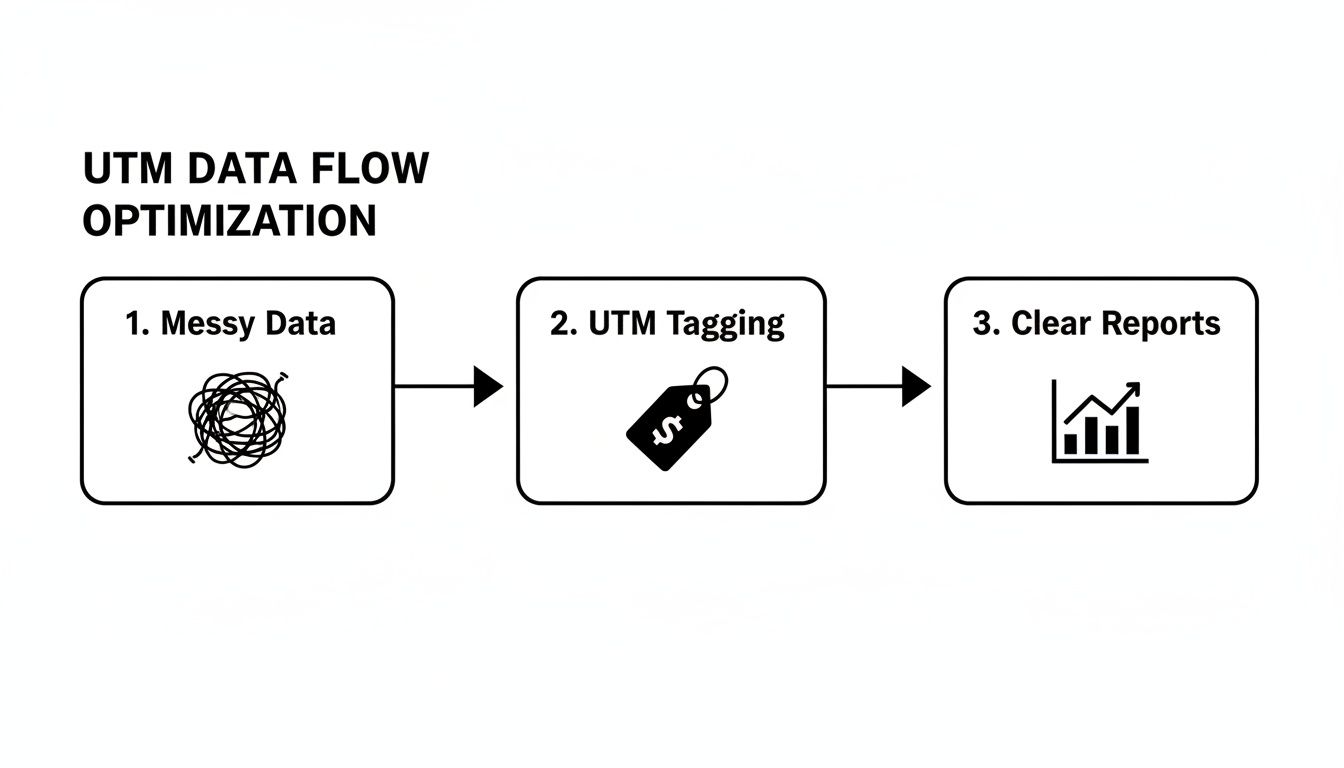
As you can see, UTM tagging is the critical bridge connecting raw, confusing data to the kind of insights that drive smart business decisions.
Foundational Rules for Absolute Consistency
Before you even think about what to name a campaign, your entire team needs to agree on a few non-negotiable rules. These are the standards that prevent your data from splintering into a million useless pieces. Without them, even the most brilliant campaign hierarchy will eventually collapse.
Honestly, it just comes down to three simple rules:
Stick to Lowercase. Always. Google Analytics is case-sensitive, meaning
Facebook,facebook, andFaceBookwill show up as three different sources. Mandating lowercase for every UTM parameter kills this common mistake on the spot.Use Underscores, Not Spaces. Spaces are a no-go in URLs. They get encoded as weird characters like
%20, which looks sloppy and can sometimes break links. Stick with underscores (_) or hyphens (-) to separate words. We’ve found underscores (black_friday_sale) are the most consistent.Keep a Central Log. Your UTM strategy is only as good as its documentation. At a bare minimum, you need a shared spreadsheet. It’s the simplest way to prevent total data chaos.
A shared Google Sheet with predefined dropdowns for source, medium, and other campaign details is the easiest win you'll get. It acts as both a UTM builder and a historical log of every single tracked link you create.
This centralized sheet takes the guesswork out of the equation. No more team members creating rogue tags on the fly. It becomes your single source of truth for all things campaign tracking.
Defining Your UTM Hierarchy
Once you've got the ground rules down, it's time to define the logic for each UTM parameter. The goal here is to create a structure that tells a clear story and is easy to filter inside your analytics reports.
The utm_source Parameter: Pinpoint the Platform
This one's straightforward. It should always identify the specific platform where the traffic came from. Be specific, but be consistent.
google(for Google Ads)meta(for all Facebook & Instagram Ads)klaviyo(for your email campaigns)tiktok(for TikTok Ads)
The utm_medium Parameter: Identify the Channel
The medium tells you the type of marketing channel. It's a good idea to stick to the conventions Google Analytics already understands so it can categorize your traffic correctly.
cpc(for any cost-per-click advertising)email(for newsletters, automations, etc.)social(for your organic social media posts)affiliate(for any partner links)
The utm_campaign Parameter: Describe the Initiative
This is where a clear, logical hierarchy matters most. A sloppy approach here makes it impossible to compare apples to apples. We've had a lot of success with a structure that includes the objective, the offer, and a date.
Recommended Structure:
objective_product_dateExample:
conversions_winter-collection_2024-11-25Another Example:
traffic_blog-launch_q4
A structure like this makes it incredibly easy to filter and compare campaigns based on their core goal or the specific product you were pushing.
The whole concept of UTM for Google Analytics has become a universal standard for a reason. GA4 now recognizes the classic five UTMs and has even added four more, like utm_campaign_id and utm_marketing_tactic, for those who need even more granularity. For a direct-to-consumer brand running dozens of ads, it's not uncommon to generate hundreds of tagged URLs every quarter. Without a consistent system, that data quickly fragments into the dreaded "(unassigned)" bucket in GA4, completely hiding your true ROI. If you want to dive deeper into how messy UTMs can break your reports, you can explore detailed guidance from GA4 practitioners.
Real-World UTM Examples: Social, Email, and Affiliates
A solid framework is one thing, but execution is where the rubber meets the road. Let’s move beyond theory and look at how your UTM naming convention plays out in the real world. This is your playbook for consistently tagging the channels you use every day, ensuring your UTM for Google Analytics setup gives you data that’s actually useful.
We'll break down some concrete, copy-pasteable examples for three common scenarios: a Meta Ads prospecting campaign, an email newsletter, and an affiliate influencer partnership. More importantly, I'll explain the why behind each parameter choice, connecting the strategy we just discussed to your daily workflow.

Putting It All Together: Example UTMs
Here are a few templates you can adapt. Notice the consistent, logical structure. This isn't just about filling in blanks; it's about telling a clear story about where your traffic is coming from and why.
Marketing Channel | Example Tagged URL |
|---|---|
Meta Ads (Facebook/Instagram) |
|
Email Newsletter |
|
Affiliate Influencer |
|
Drilling Down with utm_content
If there's one parameter that gets neglected, it's utm_content. This is a huge mistake. Think of it as your secret weapon for A/B testing and getting that extra layer of creative insight. It's how you differentiate clicks from various elements that all point to the same URL within a single campaign or email.
Let me give you a few practical examples:
For Meta Ads: Are your video ads outperforming carousels in the same ad set? Don't guess. Tag them with
video_ad_1versuscarousel_ad_1. Now you know for sure which creative resonates, helping you scale your Facebook ads effectively.For Email: Do more people click the big hero image at the top or the CTA button at the bottom of your newsletter? Track it with
header_imageversusmain_cta_button.For Affiliates: Is an influencer's Instagram Story link driving more traffic than the link in their YouTube description? Tag them as
ig_story_linkandyt_description_linkto find out.
This level of detail is what separates decent data from truly actionable intelligence. You move beyond just knowing which campaign worked to understanding which specific creative or placement was the star performer. That's gold.
Making This Part of Your Daily Workflow
The key is to make UTM tagging a reflex, not an afterthought. Every single time you create a link that will live outside your own website, you should be asking yourself, "How am I going to track this?"
For teams, using a centralized spreadsheet or a dedicated UTM builder tool is non-negotiable. It’s the only way to prevent typos and ensure everyone sticks to the naming convention you worked so hard to create. A simple mistake like using Meta instead of meta can fragment your data in Google Analytics, making accurate reporting a nightmare.
When you nail this process, UTM tagging stops being a chore and becomes a powerful strategic habit. Your reports will get cleaner, your insights will get deeper, and your marketing decisions will get a whole lot smarter.
How to Adapt Your UTM Strategy for GA4
Making the leap to Google Analytics 4 is more than just a platform update—it's a complete shift in how we approach data. GA4’s event-based model fundamentally changes campaign tracking, which means our old Universal Analytics (UA) habits need a serious refresh.
Getting a handle on these differences is the key to keeping your UTM for Google Analytics strategy sharp and your data reliable.
A major change right out of the gate is how GA4 counts a session. In the old UA world, if a user clicked a new ad in the middle of their visit, it would often trigger a whole new session, messing with your data. GA4 is smarter about this, which might make it look like your session numbers have dropped. They haven't—you're just getting a more accurate picture of user engagement.
First User vs. Session Scope: What's the Difference?
GA4 gives us a powerful new way to look at attribution by storing UTM data at two different levels. This dual-scope approach lets you answer much more detailed questions about what’s actually working.
First user scope: Think of this as the origin story. It answers, "Which campaign first brought this person to my site?" You'll see this in reports like "First user source / medium."
Session scope: This is all about the current visit. It answers, "What brought this user here right now?" This data lives in reports like "Session source / medium."
This distinction is a game-changer. Imagine someone first finds you through a google / cpc campaign. A week later, they come back directly from a klaviyo / email newsletter and make a purchase. GA4 lets you credit paid search for the initial discovery and email marketing for sealing the deal. You finally get a clear view of both awareness and conversion drivers.
To really nail this, you need a single source of truth for your UTMs. Without centralized governance, you’ll end up with fragmented data and reports that don’t tell the whole story. For a deeper dive into this, you can discover more insights about UTM tracking in GA4.
The table below breaks down some of the key distinctions between the old and new ways of handling UTM data.
Universal Analytics vs. GA4 UTM Handling
Feature | Universal Analytics (UA) | Google Analytics 4 (GA4) |
|---|---|---|
Attribution Model | Last Non-Direct Click was the default, often overriding previous campaign data within a session. | Data-Driven Attribution is the default, offering a more holistic view. |
Session Handling | A new campaign source mid-session could start a new session, inflating session counts. | A single session is maintained even if the user arrives from a different source mid-visit. |
Scope | Primarily session-based. It was difficult to separate initial acquisition from later interactions. | Dual-scope: Captures both "First user" (acquisition) and "Session" (current visit) data. |
Available Parameters |
| The original five, plus new optional parameters like |
Data Retention | User and event data could be stored indefinitely. | User-level data has a default retention of 2 months, extendable to 14 months. |
As you can see, GA4 provides a much more nuanced and flexible framework, but it requires a more deliberate approach to campaign tagging to get the most out of it.
Getting More Granular with New GA4 Parameters
On top of the core five UTMs we all know, GA4 brings a few new optional parameters to the table. They aren't required, but they can add some incredibly useful layers to your analysis when you need to dig deeper.
Let's look at two of the most practical additions: utm_source_platform and utm_campaign_id.
Using utm_source_platform
This parameter is perfect for clarifying where your source is running. Think of it as a helpful sub-label for utm_source. For example, if you're using a DSP that places ads across tons of different publisher sites, your utm_source might be the DSP itself, while utm_source_platform could specify something like "Google Display & Video 360."
Using utm_campaign_id
This is where things get really interesting for performance marketers. This parameter lets you pass a unique campaign ID directly from an ad platform into GA4.
The real magic happens when you sync your
utm_campaign_idwith your Google Ads Campaign ID. This creates a seamless, unbreakable link between your ad spend data and your website analytics, enabling much richer ROAS analysis and deeper performance insights.
By folding these GA4-specific parameters into your strategy, you’re moving beyond simple traffic labeling. You’re building a sophisticated attribution framework that gives you a clearer view of the entire customer journey than ever before.
Common UTM Mistakes and How to Fix Them
Even the sharpest marketers can fall into UTM traps that quietly poison their analytics data. Think of this section as your diagnostic guide—a way to spot the common errors creating noise in your reports so you can trust your numbers again. Getting your UTM for Google Analytics setup right is all about catching these issues before they do real damage.

Let's walk through the most critical mistakes I see all the time, what they look like in GA4, and most importantly, how to fix them for good.
The Internal Linking Catastrophe
Tagging internal links with UTMs is probably the single most destructive mistake you can make. It’s an easy error to fall into, usually with good intentions, like wanting to track clicks on a homepage banner. But the consequence is severe: it completely breaks session attribution.
Here’s what happens: A user arrives from a google / cpc campaign. They then click an internal link you’ve tagged with utm_source=homepage-banner. Just like that, their original acquisition source is overwritten. Google Analytics now thinks this user's session started from your own website, not the ad you paid good money for.
What It Looks Like in GA4: You'll start seeing your own domain (
yourwebsite.com) pop up as a traffic source in your acquisition reports. This inflates your referral traffic and makes it impossible to know where users really came from.How to Fix It: Simple. Never use UTMs on internal links. If you want to track on-site element clicks like banners or CTAs, that's what GA4's built-in event tracking is for. It's the right tool for the job and keeps your source data clean.
The Case of Inconsistent Naming
This one is subtle but incredibly common. Because UTM parameters are case-sensitive, Facebook, facebook, and FACEBOOK are all treated as three separate sources in Google Analytics. This splinters your data into tiny, useless fragments, making it a nightmare to get a clean read on performance. The same chaos happens with typos (emial vs. email) or mismatched terms (paid-social vs. cpc).
Your goal should be one clean row for each traffic source in your GA4 reports. Seeing multiple rows for the same platform is a dead giveaway that your naming convention is broken.
What It Looks Like in GA4: Your traffic acquisition report is a mess, showing multiple rows for what should be a single source or medium (e.g.,
meta / cpc,Meta / cpc,meta / paid).How to Fix It: Enforce a strict, documented naming convention. The easiest rule to implement is to mandate lowercase for all UTM parameters. Better yet, use a shared spreadsheet with dropdowns or a dedicated UTM builder tool. This takes human error out of the equation and guarantees consistency across the entire team.
Using Problematic Characters in URLs
URLs follow a specific set of rules, and breaking them can cause your links to fail completely. Tossing spaces or special characters like &, ?, or # into your UTM values is just asking for trouble. Browsers will try to encode them (a space becomes %20), creating messy, unreadable URLs that can sometimes break or get stripped by other platforms.
What It Looks Like in GA4: In the worst case, the link just fails, and you get no traffic at all. More often, your GA4 reports will show garbled, ugly parameter values filled with encoded characters like
%20, which are a pain to read and analyze.How to Fix It: Keep your UTM values simple and URL-friendly. Use underscores (
_) or hyphens (-) instead of spaces to separate words. Steer clear of all other special characters. This ensures your links are stable, clean, and trackable every single time.
Your UTM for Google Analytics Questions Answered
Even with a solid UTM strategy on paper, questions always pop up in the day-to-day grind of managing campaigns. Let's tackle some of the most common ones we hear from performance marketing teams. The goal here is to give you clear, no-fluff answers drawn from real-world experience.
What Happens If I Forget to Use UTMs on Ad Campaigns?
Forgetting to add UTM parameters to an ad campaign is like throwing your data directly into a black hole. Google Analytics will try its best to figure out where the traffic came from, but its guesses are almost always wrong and never useful for actually optimizing your spend.
For paid social ads on platforms like Meta, that traffic will probably get dumped into your Referral bucket. You'll just see generic sources like facebook.com or l.instagram.com, making it impossible to separate your paid campaigns from organic social posts. Email campaigns are even worse—untagged links often get misclassified as Direct traffic, effectively making your email marketing efforts invisible.
Without UTMs, you lose all the crucial granularity needed for performance marketing. You can’t measure the ROI of specific campaigns, ad sets, or creatives, which leads directly to poor budget allocation and completely missed optimization opportunities. Your paid traffic's performance is effectively hidden in plain sight.
Ultimately, if you can't prove what's working, you can't justify your ad spend or make smart decisions about where to invest your next dollar. It's that simple.
Can I Use UTMs for Google Ads or Is Auto-Tagging Enough?
This is a fantastic question because the answer isn't "one or the other." The best practice is to use both together.
Google Ads auto-tagging (the GCLID parameter) is essential for a deep, native integration with Google Analytics. It automatically pipes in rich data like cost, ad group, and keyword details that you can't get otherwise. It's incredibly powerful.
But here’s the catch: that GCLID data only makes sense inside Google's ecosystem.
If you're using any third-party analytics tools, CRMs, or business intelligence platforms, they have no idea what to do with a GCLID. This is where manual UTMs become absolutely critical. By adding a ValueTrack UTM template to your Google Ads campaigns, you create a universal tracking layer that any platform can understand. This lets you compare your Google Ads performance apples-to-apples with data from Meta, TikTok, or any other channel you're running.
How Do I See My UTM Campaign Data in GA4 Reports?
Finding your campaign data in Google Analytics 4 is pretty straightforward once you know where to click. The Acquisition reports are your home base for this.
In GA4, head over to Reports > Acquisition > Traffic acquisition.
By default, you'll likely see the 'Session default channel group' as the primary dimension. Just click the little dropdown arrow next to it.
Now, select a UTM-specific dimension like Session source / medium, Session campaign, or Session manual ad content to see your tagged traffic.
For a deeper dive, you can click the + button to add a secondary dimension and slice your data even further. If you really want to get granular, the Explore section is your playground. You can build a free-form report from scratch, dragging and dropping dimensions like 'Campaign name' and 'Source' alongside metrics like 'Sessions', 'Conversions', and 'Total revenue' to build the exact performance view you need.
Should I Use a UTM Builder Tool or Create Them Manually?
You can technically type out a UTM-tagged URL by hand, but please don't. The risk of a simple typo completely wrecking your data is just too high.
A tiny mistake like using 'Facebook' in one URL and 'facebook' in another will force Google Analytics to treat them as two separate campaigns, splitting your data and making accurate analysis a nightmare. This is why using a tool is always the smarter move.
For one-off links: Google's free Campaign URL Builder is a perfectly fine starting point for quick links.
For teams: At a minimum, use a centralized spreadsheet with dropdown menus to enforce consistency. If you want to dig deeper into building these kinds of frameworks, you can find more on our marketing strategy blog.
The best-case scenario is a dedicated UTM management platform. These tools are designed to enforce your naming convention, prevent those costly data fragmentation errors, and ensure every single link is tagged correctly, every time.
At SpendOwlAI, we turn noisy ad data into clear, actionable guidance. Our system helps you move beyond messy spreadsheets and gut-driven decisions, providing a ranked list of what to change—and what to leave alone—in your campaigns every single day. Start your free 7-day trial and execute with confidence.