Google Ads for Website Traffic Your Complete 2026 Playbook
When you need to get targeted visitors to your website right now, nothing beats Google Ads. It’s the most direct way to put your business in front of people at the exact moment they’re searching for your products or services. You’re essentially turning their search intent into immediate website traffic on demand.
Building Your Foundation for High-Quality Traffic

Before you even think about spending your first dollar, we need to talk about what "quality traffic" actually means for your business. The goal isn't just to see a spike in your analytics. It’s about attracting the right people—the ones who are most likely to do something valuable once they land on your site.
This means getting specific. A vague goal like "more website visitors" is a recipe for wasted ad spend. Instead, a B2B company might define quality traffic by aiming for 50 qualified demo requests per month. An e-commerce store might set a goal for a 15% jump in add-to-cart events from new users. These concrete targets become the North Star for your entire campaign.
Setting Clear Campaign Objectives
Once you have a specific, measurable goal, you can build your whole Google Ads strategy around hitting it. This is what separates campaigns that make money from those that just burn it. What do you want a valuable visitor to do?
For Lead Generation: The main objective is often a form fill, a phone call, or someone downloading a lead magnet. Every part of your campaign, from keywords to ad copy, should be laser-focused on driving those actions.
For E-commerce: Here, it’s all about commercial intent. You’re looking for product page views, items added to a cart, and, of course, completed purchases.
For Content Engagement: If brand awareness is the play, you might focus on metrics that show people are genuinely interested, like session duration, pages per session, or newsletter sign-ups.
Having this clarity from the start makes every other decision easier. On a platform as massive as Google, precision is everything.
Google Ads is on track to dominate an incredible 80% of the global PPC market share by 2026. With ads reaching 90% of internet users worldwide, its scale is simply unmatched. You can explore the full breakdown of Google Ads statistics to see just how brands are using the platform to their advantage.
Choosing the Right Campaign Type
Google gives you a whole menu of campaign types, and picking the right one is your first big tactical decision. Each is built for a different job.
To help you decide, here’s a quick rundown of the most common options for driving traffic.
Choosing Your Google Ads Campaign for Traffic Generation
Campaign Type | Best For | Key Benefit |
|---|---|---|
Search | Capturing high-intent users actively looking for solutions. | Puts your ad in front of people at the exact moment of need. |
Display | Building brand awareness and reaching broad audiences visually. | Massive reach across millions of websites, apps, and videos. |
Performance Max | E-commerce and lead gen; maximizing conversions across all channels. | Uses AI to find customers across all of Google's inventory from a single campaign. |
Shopping | E-commerce businesses wanting to showcase individual products. | Visual, product-focused ads that appear directly in search results. |
For most businesses just starting out, a Search campaign is the go-to. It’s the most effective way to capture people who are already looking for what you sell.
On the other hand, if your goal is more about top-of-funnel awareness, a Display campaign can get your brand in front of a lot of eyeballs. And for any e-commerce business, Performance Max or Shopping campaigns are practically non-negotiable—they put your products right where buyers can see them. Your campaign choice directly shapes the kind of traffic you'll get, so make sure it aligns with your main business goal.
Structuring Campaigns for Maximum Traffic Quality

If there’s one mistake that burns through ad budgets faster than anything else, it’s a messy, disorganized campaign structure. Getting your structure right isn't just about being tidy—it's about giving yourself a clear view into what's working and what's a complete waste of money.
Without a logical framework, you can't properly optimize. You’re essentially flying blind, unable to make smart decisions about where your next dollar should go. A solid structure gives you the control you need to effectively use Google Ads for website traffic.
The whole point is to create a strong "scent trail" for your visitors. This is the crucial link between their search query, the ad they see, and the landing page they arrive on. When that trail is consistent and relevant, you get profitable campaigns. When it's broken, you get money pits.
Structuring by Intent and Category
So, how should you organize everything? The honest answer is: it depends entirely on your business. There's no one-size-fits-all template, but the guiding principle is always to mirror how your customers actually search for what you offer.
Let's walk through a couple of real-world scenarios:
For an E-commerce Store: Say you sell running gear. The most logical approach is to structure campaigns around your main product categories. You'd have a campaign for "Men's Running Shoes," another for "Women's Running Shorts," and maybe a third for "GPS Running Watches."
For a B2B Service: Now imagine you’re a SaaS company with project management software. Here, structuring by user intent makes more sense. One campaign could target high-intent, bottom-of-funnel keywords like "best project management software for agencies." A separate campaign could go after top-of-funnel, awareness-stage terms like "how to improve team collaboration."
This kind of thematic grouping is a game-changer. It means the keywords inside each ad group are incredibly similar, which allows you to write hyper-relevant ad copy. A search for "Nike Pegasus running shoes" should lead to an ad about that exact shoe, which then clicks through to a page only showing Nike Pegasus models—not your entire shoe catalog.
A logical campaign structure is your first line of defense against wasted ad spend. It allows you to control messaging, budget, and targeting with precision, ensuring every dollar is invested in attracting high-quality traffic, not just clicks.
Mastering Keyword Match Types
Once your campaigns are organized, keyword match types become your tools for fine-tuning your targeting. Think of them as dials that control how broad or narrow you want to be. Using them strategically is the key to balancing reach with relevance.
Each match type has a specific job to do in your mission to find quality traffic.
Here’s how I typically use them:
Broad Match: I use this one very carefully, usually for keyword discovery. It’s great for uncovering new search terms you hadn’t thought of, but it can also attract a lot of irrelevant traffic. My advice? Isolate broad match keywords in their own low-budget campaign. For instance, a broad match on running shoes might trigger an ad for "best footwear for jogging," giving you a new keyword idea to explore.
Phrase Match (e.g., "men's trail running shoes"): This is the everyday workhorse for most accounts. It hits the sweet spot between capturing a wide range of relevant searches and filtering out the junk. It will show your ad for searches that include the meaning of your keyword, giving you a great mix of volume and control.
Exact Match (e.g., [buy brooks adrenaline gts 23]): This is your sniper rifle. You pull this out for your highest-value, highest-intent keywords—the ones you know convert. It gives you maximum control and relevance, though it comes with the lowest search volume.
By building a logical campaign structure and then applying match types with clear intention, you shift from simply buying clicks to building a system that predictably attracts your ideal customers. This foundational work is what makes all your future optimization efforts so much more effective.
Finding Keywords That Attract Your Ideal Visitor
With your campaign structure in place, it’s time to zero in on the keywords. This is where the real work begins—finding the exact search terms your ideal customers are typing into Google moments before they’re ready to pull the trigger.
It’s the crucial difference between attracting random browsers and connecting with your next paying customer.
Effective keyword research for Google Ads isn't about chasing single, high-volume words. It's about understanding the psychology behind a search. Someone looking for "shoes" is just window shopping. But a person searching for "women's waterproof hiking boots size 8" has their credit card out.
Moving Beyond Obvious Head Terms
The real gold is in long-tail keywords. These are the longer, more descriptive phrases that, while having lower search volume individually, signal crystal-clear intent. They often convert at a much higher rate precisely because they are so specific.
Put yourself in your customer’s shoes. What specific problem are they trying to solve right now? Their searches will likely fall into a few categories:
Problem-Aware: "how to fix a leaky faucet"
Solution-Aware: "best plumber near me for emergency repair"
Brand-Aware: "[Your Brand Name] plumbing services reviews"
A smart keyword strategy includes a mix of these to capture attention at different stages of the buying journey. I always have a tab open with tools like Google's Keyword Planner, Ahrefs, or Semrush to uncover these phrases and get a peek at what competitors are bidding on.
The Power of Layering Audience Signals
Keywords get your foot in the door. Layering on audience signals is how you win the deal. This is a non-negotiable step for driving high-quality traffic and making sure your budget isn't wasted on tire-kickers.
The strategy is simple: combine what people are searching for (keywords) with who they are (audiences). Google gives you a powerful set of tools to do this. You can add these audiences in "Observation" mode to gather data or in "Targeting" mode to narrow your reach.
Here are the ones I use most often:
In-Market Audiences: These are people Google knows are actively shopping for products or services like yours. A car dealership, for instance, can target users Google has flagged as being in the market for "SUVs & Crossovers."
Affinity Audiences: This is broader, targeting people based on their lifestyles and long-term interests, like "Home & Garden Enthusiasts."
Remarketing Lists (RLSA): This is your secret weapon. It lets you show ads specifically to people who have already visited your site. It’s consistently one of the highest-performing targeting methods out there.
While the average click-through rate for Google Search ads is a solid 3.17%, we've seen conversion rates climb as high as 14.7% in some industries. The catch? With 40-50% of paid traffic bouncing, tools like SpendOwlAI are essential for telling high-intent visitors apart from the casual browsers. You can dive deeper into how to interpret these powerful Google Ads statistics and make them work for you.
When you combine specific, long-tail keywords with well-defined audience segments, you create a laser-focused campaign. You’re no longer just bidding on "running shoes." You're bidding on "men's trail running shoes" and making sure that ad is shown only to users who are known shoppers for athletic gear and have visited your blog in the past.
This layered approach is how you make Google Ads for website traffic not just work, but work profitably. We get into the nitty-gritty of keyword selection in our guide to understanding broad match vs phrase match strategies.
Making Sure Your Ads and Landing Pages Actually Work Together

Getting someone to click your ad feels like a win, but it's a hollow victory if they leave your site seconds later. You’ve just paid for a bounce. The real money is made when you create a smooth, logical path from the ad to the action you want the user to take.
This all starts with the ad itself. Your ad copy needs to act like a mirror, reflecting exactly what the user searched for. If their query is "waterproof hiking boots," your ad headline can't just be "Great Outdoor Gear." It has to scream "Waterproof Hiking Boots" right back at them. This simple act instantly tells them they're in the right place.
You can then beef up your ads with extensions. Think of these as little power-ups that make your ad bigger, more useful, and far more clickable.
Here are a few I use in almost every campaign:
Sitelink Extensions: These are direct links to other relevant pages on your site. For a shoe store, this could be "Men's Boots," "Women's Boots," or "Clearance Sale." They give people shortcuts to what they want.
Callout Extensions: Use these to shout out your key selling points, like "Free Shipping," "24/7 Customer Support," or a "Lifetime Warranty."
Structured Snippets: This is where you can list out specific features, like the brands you carry or the types of services you offer, adding helpful context.
The Landing Page: Where the Click Becomes a Conversion
Once you've earned that click, the user arrives on your landing page with a very specific idea in mind. The only job of that page is to deliver on the promise your ad just made. We call this message match, and it's not optional if you want high-quality traffic.
If your ad promoted a "50% Off Sale on Running Shoes," the landing page better have that offer front and center. Any disconnect—a different offer, a confusing layout, or just a generic homepage—creates friction, and friction kills conversions.
Your ad writes a check that your landing page has to cash. The headline, the images, the offer, and the call-to-action all need to line up perfectly with the ad that brought the visitor there.
Beyond just matching the message, your landing page has to nail a few fundamentals.
First, give them one clear thing to do. This is your call-to-action (CTA). Don't clutter the page with five different buttons asking them to "Buy Now," "Learn More," and "Follow Us." Tell them exactly what the next step is, whether it's "Add to Cart" or "Get Your Free Quote."
Next, your page must load fast. I can't stress this enough. A one-second delay in mobile page load can slash your conversion rate by up to 20%. People have zero patience for slow websites, and this is an area where advertisers bleed money without even realizing it.
Finally, you should never stop testing. Don't just assume your first idea is the best one. Run two ad variations (an A/B test) with different headlines to see which one performs better. Do the same with your landing pages—test a new headline, a different button color, or a shorter form. For a much deeper dive into this, we have a whole playbook on comprehensive website conversion optimization that will help you squeeze more value out of every single click.
Using Smart Bidding Without Burning Through Your Budget
Let's be honest, handing your budget to a Google algorithm can feel like a massive leap of faith. But here’s the thing I've learned from managing countless campaigns: Smart Bidding is an incredible tool when you’re the one setting the rules.
The secret isn’t to avoid automation. It’s to put firm guardrails in place so the machine works for you, not against your wallet.
When your main goal is simply driving more visitors to your site, Maximize Clicks is your go-to bid strategy. Think of it as the most direct way to use Google Ads for website traffic, especially when you don't have enough conversion data yet for fancier strategies like Target CPA or ROAS.
Setting Your Daily Budget and Max Bid Limit
To use Maximize Clicks effectively, you absolutely must set two critical controls. First, your daily budget. This is the hard ceiling on what Google can spend on any given day (on average), giving you predictable monthly costs.
More importantly—and this is a non-negotiable for me—you have to set a maximum cost-per-click (CPC) bid limit. If you skip this step, you’re giving the algorithm a blank check. It will bid whatever it thinks is necessary to win an auction, which can lead to some truly eye-watering CPCs on competitive keywords.
For instance, if you know from your own numbers that a click is only profitable if it costs less than $2.50, set that as your maximum CPC. You're essentially telling the algorithm, "Go get me as many clicks as you can find, but don't you dare pay more than $2.50 for a single one." This simple cap keeps your costs in check while still getting the benefits of automation.
Keeping an Eye on Performance and Pacing
Once you're live, you need to watch how your budget is pacing. Is it all gone by noon, leaving the rest of the day on the table? Or is it barely spending anything at all?
If your budget drains too fast: This is a classic sign that your daily budget might be too low for the level of competition, or your max CPC is too generous. Try lowering your max CPC bid first, or if you have the room, increase the daily budget to stay competitive all day.
If your budget isn't being spent: Your max CPC is probably too low to even get you in the game. You're not winning any auctions. I'd recommend inching up your bid limit a little at a time until you start to see impressions and clicks pick up.
Constant vigilance is what separates a profitable automated campaign from a money pit. An automated watchdog tool like SpendOwlAI can be a lifesaver here, flagging things like sudden cost spikes or impression drops before they spiral out of control. It’s all about letting the machine do the grunt work while you maintain financial oversight.
Smart Bidding is powerful, but it's not a "set it and forget it" solution. Think of it as a performance engine. You still need to be in the driver's seat, making sure it stays on course and doesn't just drive straight off a cliff in its pursuit of clicks.
Your Daily and Weekly Optimization Routine
Let’s be honest: successful Google Ads campaigns are never a "set-it-and-forget-it" deal. The real difference between an account that drives high-quality website traffic and one that just burns cash comes down to consistent, methodical optimization. This isn't about guesswork; it's about having an efficient, data-backed routine for making smart decisions.
Think of it as a simple feedback loop: you set your budget, analyze the data that comes back, and then adjust your strategy based on what you’ve learned.
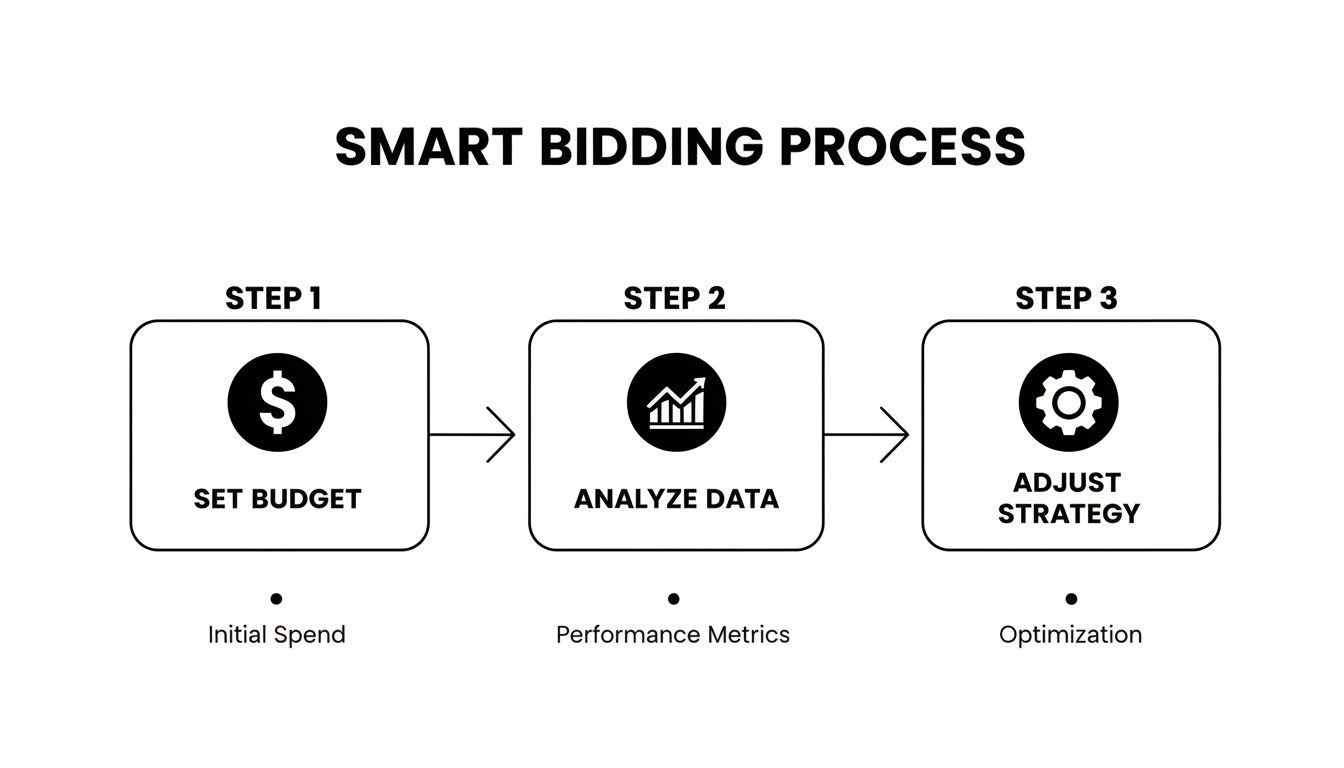
This cycle is constant. Optimization isn't a one-time setup task; it’s a continuous process of learning and refining your approach.
Your Daily Check-In
Your daily checks should be fast—a five-minute scan to spot any major fires before they turn into costly disasters. The goal here isn't a deep strategic analysis; it's immediate damage control.
Here’s what I look for every morning:
Sudden Budget Spikes: Did one campaign blow through its entire daily budget by 9 AM? This is a huge red flag that could point to a bad keyword match or a bidding error that needs to be fixed right away.
Major Performance Dips: I’m looking for any sharp drops in key metrics like Click-Through Rate (CTR) or Impressions. A sudden nosedive might mean you have a disapproved ad or even a technical problem with your landing page.
Alerts and Notifications: Always glance at the "Notifications" bell in your account. This is where Google will tell you about critical issues like billing problems or policy violations that can bring your campaigns to a dead stop.
Your Weekly Deep Dive
This is where the real work—and the real progress—happens. Block out an hour each week to dig into your performance data and make meaningful strategic adjustments. This consistent review is absolutely crucial for improving your website traffic campaigns.
Your first stop should always be the Search Terms Report. Seriously, this report is a gold mine. It shows you the exact queries people typed into Google that triggered your ads.
A rookie mistake I see all the time is making drastic changes too often, especially when a campaign is still in its learning phase. This starves the algorithm of the data it needs, resetting its progress and killing your performance. Give your changes at least a week to show their true impact.
A core part of this weekly routine is pruning the keywords that are wasting your money.
Add Negative Keywords: Find all the irrelevant search terms that are eating up your budget and add them as negative keywords. For instance, if you're selling premium accounting software, you’ll probably want to add words like "free," "cheap," and "jobs" to your negative list.
Find New Keyword Opportunities: On the flip side, the report will reveal new long-tail keywords that are converting well. Pull these gems out and move them into their own ad groups where you can give them a dedicated budget and more relevant ad copy.
Analyze Ad Creative: Look at which ad headlines and descriptions are getting the best CTR and conversion rates. Don't be afraid to pause the losers. Create new ad variations based on what’s clearly working with your audience.
Following a structured routine like this transforms campaign management from a chaotic, reactive mess into a proactive system built for sustainable growth. For more advanced strategies, our guide can help you improve Google Ads performance.
Instead of spending your day staring at dashboards and running manual checks, SpendOwlAI can give you a prioritized list of actions to take across your Google and Meta ad accounts. Get clear, data-backed guidance on what to change and what to leave alone. You can start a free 7-day trial at https://spendowlai.com.