Your Guide to Facebook Ads Policies in 2026
Facebook's ad policies are the rulebook for what you can and can't say or sell on its platforms. They're built to keep the user experience positive, which, believe it or not, is actually a good thing for advertisers. A happy, trusting audience is one that engages and converts.
Why Facebook Ads Policies Are Your Secret Weapon
Let's be real—nothing tanks a campaign faster than an ad rejection or, even worse, a flagged account. Most advertisers see the Facebook ads policies as a set of frustrating, arbitrary hurdles that just get in the way of making sales. But those of us who have been in the trenches for a while know the truth: understanding these policies inside and out is a massive competitive advantage.
Instead of a roadblock, think of the policies as the guardrails on a busy highway. They aren't there to slow you down; they’re there to prevent crashes and keep traffic moving smoothly. For your ads, this translates directly into better performance, lower costs, and far more predictable results.

From Reactive Panic to Proactive Planning
The typical advertiser's journey starts with a disapproved ad and a mad scramble to figure out what went wrong. You lose time, money, and momentum. This reactive cycle is incredibly stressful and inefficient. The goal is to flip the script and adopt a proactive mindset, building campaigns that are designed for approval from the ground up.
Making this shift pays off in several huge ways:
Builds Platform Trust: When you consistently submit compliant ads, Meta’s algorithm starts seeing you as a reliable partner. This can lead to faster approvals and even preferential treatment in the ad auction over time.
Boosts Audience Trust: The policies are designed to weed out spammy, misleading, or outright predatory ads. Sticking to them naturally guides you toward creating better, more authentic campaigns that build real brand credibility.
Stops Wasted Spend: Fewer rejections mean your campaigns launch on schedule and stay running. Your budget goes toward acquiring customers, not sitting idle while you're stuck in an endless cycle of edits and reviews.
Think of policy compliance not as a chore, but as a strategy. It's the foundation that makes stable, scalable growth possible.
To get started, it's helpful to understand the main categories of rules you'll encounter. These three pillars cover the vast majority of common ad rejections.
Top 3 Facebook Ad Policy Pillars to Know
Policy Pillar | What It Covers | Common Mistake Example |
|---|---|---|
Prohibited Content | Things that are completely banned from the platform, no exceptions. | Ads for illegal drugs, weapons, unsafe supplements, or pyramid schemes. |
Restricted Content | Topics that are allowed but with strict rules, often requiring special permission or targeting limitations. | Ads for alcohol, dating services, financial products, or health topics. |
Ad Creative & Positioning | Rules governing the ad itself—the image, video, and text—and how it's presented. | Using "before-and-after" images for weight loss or making exaggerated, unsubstantiated claims in your ad copy. |
Internalizing these three core areas will help you spot potential red flags in your campaigns long before you ever click "Publish."
Turning Knowledge into Action
This guide is built to help you make that crucial shift from reactive to proactive. We'll dig into the why behind the rules so you can move beyond just following a checklist and start thinking strategically. You'll learn how to diagnose problems, appeal rejections the right way, and build simple checks into your workflow to catch violations before they ever go live.
Ultimately, mastering these policies isn't just about dodging penalties. It's about becoming a smarter, more confident advertiser who can navigate the platform's complexities to achieve sustainable success.
It’s easy to think of Meta's ad policies as just a list of "do's and don'ts," but they're much more than that. They're a living history of the platform, and every major change has sent ripples through the ad auction, directly impacting your campaign costs.
Think of the ad auction as a huge, bustling marketplace. When the rules of that marketplace suddenly change—say, certain goods are no longer allowed or new entry fees are introduced—the prices for everything else adjust. That's exactly what happens with your ad costs every time a policy is updated.
The Early Days and the Rise of Regulation
In the beginning, advertising on Facebook was the Wild West. The rules were loose, and the costs were incredibly low. But as the platform grew up, it had to start policing its own territory, and those first waves of regulation began to nudge costs upward.
If you were running ads back around 2010, you remember the dream-like costs. But things started changing fast. As early as 2007, when the ad platform first launched, Meta (then Facebook) began introducing stricter policies around ad relevance and user privacy. This wasn't just for show; these changes directly influenced the cost per mille (CPM) advertisers were paying. You can find more detail on the evolution of these costs at uphex.com.
This wasn't random. Each new rule was a direct response to something: user complaints, pressure from regulators, or major public events. The platform was—and still is—in a constant balancing act between keeping advertisers happy and protecting the user experience. That tug-of-war is what drives your budget fluctuations today.
For instance, by 2015, Facebook was cracking down hard on misleading claims and required clearer disclosures for sponsored posts. Advertisers who couldn't adapt saw their ads get rejected. This forced everyone to produce higher-quality creative, which in turn made the ad auction more competitive. The result? A noticeable spike in average CPM, which jumped from around $1.50 in 2012 to over $5 by 2017 in key markets.
Major Scandals and Their Financial Aftershocks
The most dramatic, overnight policy changes almost always follow a major public controversy. The Cambridge Analytica scandal in 2018 was a true turning point. It fundamentally changed how Facebook handled data privacy and, in response, they slammed the door on many third-party data targeting options.
For advertisers, the fallout was immediate and chaotic:
Audience Rebuilding: Teams that relied heavily on third-party data had to start from scratch, scrambling to build new audiences using first-party information.
Cost Spikes: With advertisers now competing for a smaller, more strictly-defined pool of users, costs went haywire. In the second quarter of 2018 alone, some US advertisers saw their CPCs jump by 20-30%.
Learning Phase Instability: These sudden audience shifts frequently reset ad sets, throwing them back into the volatile Facebook ads learning phase and tanking performance.
These events teach a powerful lesson: major policy updates almost always precede periods of increased cost and performance instability. Staying informed isn't just about compliance; it's about anticipating and preparing for these financial impacts.
This history shows that monitoring policy changes isn't a "nice-to-have." It's essential. Tracking how your costs react to even minor policy announcements gives you the data you need to justify strategy pivots to your boss or clients and maintain a stable Return on Ad Spend (ROAS). Without that historical context, you're flying blind, unable to tell a temporary market hiccup from a permanent, fundamental shift in the advertising ecosystem.
Prohibited Versus Restricted Content Explained
If you've spent any time running Facebook ads, you know that navigating its policies can feel like walking on a tightrope. I've seen countless advertisers get stuck on one of the most fundamental rules: the difference between what's completely off-limits and what just needs a little extra paperwork.
Getting a handle on Prohibited versus Restricted content is the first and most critical step.
It helps to think about it this way:
Prohibited Content is a brick wall. There's no way over, under, or around it. No special permissions exist, and trying to advertise these things is the quickest path to a disabled ad account.
Restricted Content is more like a door with a specific, complex lock. You can get through, but you need the right key. This means following a very strict set of rules, which often includes tight targeting restrictions and legal disclaimers.
Once you truly get this distinction, you can stop reacting to frustrating ad rejections and start proactively building compliant campaigns from day one.
The Hard No: Prohibited Content
Meta’s list of prohibited content isn't just about protecting its users from the obvious dangers; it's a black-and-white set of rules with zero wiggle room. For e-commerce and DTC brands, this list can sometimes include things you might not expect.
These are some of the most common categories that are an automatic "no":
Weapons, Ammunition, or Explosives: This isn't just about selling guns. It includes ads for firearm parts, ammo, and even accessories that attach to a weapon.
Unsafe Supplements: Any supplement Meta considers unsafe is banned. Think anabolic steroids, HCG, or ephedra. Any copy that smells like a "miracle cure" will also get flagged here.
Tobacco and Related Products: You can't promote the sale or use of tobacco, e-cigarettes, vape pens, or anything else that falls into that world.
Adult Products or Services: With very few exceptions for things like family planning (which have their own strict rules), adult content is completely off the table.
Meta’s automated review bots are ruthless in this area. An image with a prohibited item accidentally sitting in the background is enough to get your ad shut down instantly. Reviewing your creative with a fine-toothed comb is not optional.
Navigating the Nuances of Restricted Content
This is where the gray areas appear and where most well-intentioned brands get into trouble. Restricted content can be advertised, but there are always strings attached. These rules can change based on the country you're targeting, so you have to be vigilant about both local laws and Meta's platform policies.
The real purpose of restricted policies is to let legitimate businesses advertise while shielding vulnerable audiences. When you follow these nuanced rules, you're signaling to Meta that you're a credible, trustworthy advertiser.
Here are a few of the most common restricted categories that trip people up:
1. Alcohol You can run ads for alcohol, but only if you strictly follow local age and country targeting laws. For instance, you can't target anyone under the legal drinking age in the region you're advertising in. And don't forget, some countries ban alcohol advertising entirely, so you have to exclude them.
2. Financial Services If you're promoting credit cards, loans, or investment opportunities, you have to be crystal clear. All fees, interest rates, and the physical address of the company must be disclosed upfront. Any hint of "get-rich-quick" schemes or unrealistic promises about debt will get your ad rejected.
3. Health and Wellness For many brands, this category is a minefield. Promoting a healthy lifestyle or fitness products is fine, but you absolutely cannot make unproven health claims. "Before-and-after" photos are a classic example of what not to do, as they imply a guaranteed result. Your ads also can't promote an "ideal" body type or do anything that might create negative self-perception.
This flowchart shows just how directly policy can impact your bottom line.
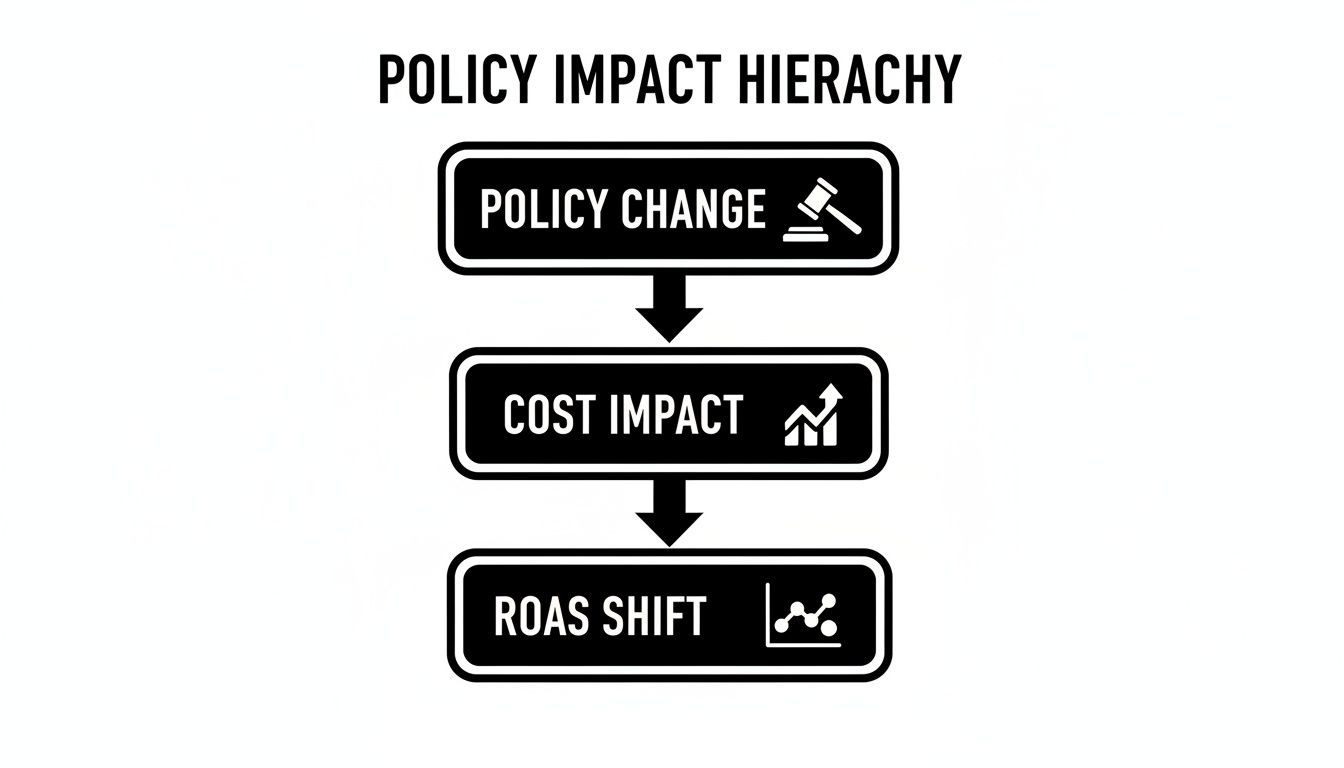
As you can see, a shift in policy doesn't just create a headache—it directly affects your ad costs, which in turn can completely change your ROAS.
Your best defense is a simple mental checklist. Before you hit publish, ask: "Does my ad touch on a restricted topic?" If the answer is yes, follow up with: "Have I double-checked every single requirement for this category?" Taking that extra minute can save you from endless ad rejections and help ensure your campaigns get off the ground without a hitch.
Mastering Targeting and Data Usage Rules
You can have the most brilliant ad creative in the world, but if your targeting breaks the rules, your ad is dead on arrival. While content policies get a lot of airtime, Meta's guidelines on audience targeting and data usage are just as stringent. Get them wrong, and you're looking at rejected ads or, even worse, a suspended account.
Think of it this way: your ad creative is the message inside a letter, and your targeting is the address on the envelope. Sending a perfectly written letter to someone with a "No Junk Mail" sign on their door is a quick way to get it tossed in the bin. In the world of Meta, targeting people based on sensitive personal traits is the exact same thing.
Understanding Special Ad Categories
One of the biggest hurdles you'll face is the Special Ad Category. If your ad touches on credit, employment, or housing, you have to declare it. This is non-negotiable. Making this declaration fundamentally changes your targeting options to stay in line with anti-discrimination laws.
Once you select a Special Ad Category, Meta automatically guts your targeting capabilities:
Age and Gender: Forget targeting specific age brackets or genders. It’s off the table.
Location: You can no longer target by zip code. Instead, you're limited to a minimum 15-mile radius around a city or specific point.
Detailed Targeting: A huge chunk of demographic, behavior, and interest options disappear. This is to stop advertisers from excluding people based on things like ethnic affinity or family status in a housing ad, for example.
Trying to sneak an ad through without the proper declaration is a huge mistake. Meta’s AI is incredibly good at sniffing these out, and you’ll not only get rejected but also risk flagging your entire ad account for a much closer look.
The Pitfalls of Targeting Personal Attributes
Beyond the big three Special Ad Categories, there’s a broader rule against targeting based on personal attributes. This means you can't build audiences that directly or indirectly call out someone's sensitive information. The whole point is to protect users from predatory ads and just plain creepy experiences.
You are flat-out forbidden from using targeting that implies you know a user's:
Race or ethnic origin
Religious or philosophical beliefs
Age or sexual orientation
Gender identity
Disability or medical condition
Financial status or voting affiliation
For instance, an ad for debt consolidation can't run with copy like, "Buried in credit card debt?" while targeting users Meta has grouped by financial hardship. That creates an invasive experience and is a direct policy violation.
The rule of thumb is this: your ad must be about your product, not about the person seeing it. The second your ad screams, "I know this sensitive thing about you," you've crossed the line.
Navigating Age Restrictions and Data Privacy
Meta has always been protective of its younger users, globally banning detailed targeting for anyone under 18. This became even more important after the iOS14 update threw a wrench in tracking for everyone. The impact was real—many lead generation campaigns saw their retargeting pools shrink by 30-50%, torpedoing click-through rates.
This is exactly why your own first-party data is now gold. Using customer lists to build Lookalike Audiences is a powerful, compliant strategy for finding new customers, but you absolutely must have the right consent to use that data for marketing. To keep your campaigns on track while respecting these data rules, it's worth reading a comprehensive guide on tracking Facebook Ads.
And with data privacy getting stricter every year, understanding server-side tracking isn't just a good idea—it's essential for survival. To build a more durable data pipeline for your advertising, check out our guide on the Meta Conversions API. It’s the key to reaching high-intent audiences ethically and effectively, even as the rules of the game continue to change.
Sooner or later, it happens to every advertiser: the dreaded ad rejection email. It feels like a punch to the gut, instantly halting your campaign, messing up your schedule, and leaving you scrambling to figure out what went wrong.
But a disapproved ad isn't a disaster. Honestly, it happens all the time, even to us seasoned pros. The trick is to see the rejection for what it is: a data point. It’s Meta giving you direct feedback, even if it’s sometimes wrapped in confusing policy-speak. Your job is to decode it, learn from it, and get your campaign back on track without panicking.

Your Step-by-Step Playbook for Handling Rejections
Freaking out leads to bad decisions, like making sloppy edits or sending an angry message to support. Don't do that. Instead, take a breath and work the problem with a clear head. This simple workflow will help you diagnose the issue and find the fastest way to get your ads live again.
Read the Full Notification. Don't just glance at the "Your ad wasn't approved" subject line. Open the email or notification and find the specific policy they flagged. Meta almost always links to the exact rule you’ve supposedly broken.
Compare Your Ad to the Policy. Pull up two browser tabs. In one, have your ad—the image, headline, text, everything. In the other, have the facebook ads policies page Meta sent you. Now, go through your ad element by element and compare it against the policy's wording. Be brutally honest with yourself here. Is there anything that could even be misinterpreted?
Decide Your Next Move. After your review, you really only have two paths forward: edit the ad or request another review. The right choice depends entirely on whether the violation is obvious or if you think the system got it wrong.
To Edit or to Appeal
This is the most important decision you'll make in this process. Choosing the wrong path can easily burn a few days of your time and budget.
When to Edit: If you look at your ad and immediately spot the problem—maybe an accidental "before-and-after" picture slipped through, or you made a health claim you shouldn't have—the quickest solution is to simply edit the ad. Fix the part that violates the policy, save it, and the ad will automatically go back into the review queue. For clear-cut mistakes, this is always the fastest fix.
When to Appeal: If you've carefully read the policy and genuinely believe your ad is compliant, it's time to appeal. The automated review system makes mistakes more often than you'd think, especially with policies that require a bit of nuance to interpret.
A good appeal isn't an argument; it's a clarification. You're just calmly explaining to a human reviewer why your ad is compliant, pointing to the specific policy in question.
To write an appeal that works, be polite, concise, and direct. Explain why you believe your ad follows the rule Meta cited. For example: "My ad was flagged under the personal attributes policy. However, the copy only discusses our product's benefits and doesn't mention or imply anything about the user's personal characteristics. I believe this was flagged in error and respectfully request a manual review."
Navigating this is just part of the game. With over 8 million active advertisers on the platform, you're not alone. In fact, 70% of advertisers report that their best ROI comes after running policy-aligned A/B tests, which can boost performance by 30-50%. For those targeting the critical 25-34 age group—which accounts for 35.2% of all impressions—getting smart about policy is non-negotiable. You can dig into more of these numbers and see how trends affect advertisers by checking out these Facebook ad statistics.
Finally, a word of warning: never, ever resubmit the exact same rejected ad without making any changes. This is a massive red flag for Meta's system. Doing this repeatedly is one of the fastest ways to get your entire ad account restricted or shut down. Always choose to either edit or appeal.
Building a Proactive Compliance Workflow
The best way to handle Facebook ads policies isn't to get good at appealing rejections—it's to stop them from happening in the first place. Too many teams live in a state of reactive panic, scrambling only after an ad gets shut down. A proactive workflow, however, embeds compliance into your team's daily habits, saving you budget, headaches, and your account's good standing.
Think of it like a pilot's pre-flight check. You wouldn't just fire up the engines and hope for the best. You run through a systematic checklist to make sure every critical component is ready for a safe flight. That’s exactly what a compliance workflow does for your ad campaigns. It turns policy checks into muscle memory instead of a frantic afterthought.
Create a Team-Wide Pre-Launch Checklist
Your single most powerful weapon against policy violations is a simple, standardized pre-launch checklist. It forces everyone—copywriters, designers, and media buyers alike—to pause and consciously vet their work against known policy traps. This one step can catch over 90% of the most common mistakes I see teams make.
This should be a living document that you update as you learn, but here’s a great place to start:
Content Review:
Prohibited Items: Is there anything in the ad—image, text, or video—that falls under Meta's long list of prohibited content?
Restricted Categories: Does the ad involve alcohol, finance, health, or another restricted area? If so, have you followed every single specific rule for that category?
Claims and Promises: Are all your claims backed up? Get rid of absolute statements like "guaranteed results" or "cures acne overnight."
Creative and Copy Audit:
Personal Attributes: Is the copy calling out personal traits? A simple switch from "Are you broke?" to "Looking for budget-friendly solutions?" makes all the difference.
"Before and After" Images: Are you using any images that imply a specific, often unrealistic, outcome? This is a huge red flag for Meta's review bots.
Landing Page Consistency: Does the landing page deliver exactly what the ad promised? Is it fully functional, with no broken links? A mismatch here is a classic, easily avoidable rejection.
Targeting and Setup:
Special Ad Category: If your ad is for housing, credit, or employment, did you declare the correct category? Missing this is an instant rejection.
Age and Location: Are your targeting settings compliant with rules for restricted products, like alcohol?
Publishing Integrity: Sometimes, an ad rejection has nothing to do with the creative and everything to do with a technical hiccup during the process of publishing ads to Meta. Double-check that all your settings are correct before you hit "publish."
Monitor for Early Warnings and Data Loss
A truly proactive approach goes beyond pre-launch checks. It's about keeping an eye on your accounts for subtle warning signs. This isn't just about ad rejections; it’s about the overall health of your campaigns. For example, constantly making frantic edits to an underperforming ad can accidentally trip policy wires. Having guardrails on how and when to optimise Facebook ads can prevent these unforced errors.
Another silent risk many advertisers ignore is data retention. To comply with GDPR and other privacy laws, Meta automatically deletes campaign data after 37 months. This isn't a new rule—it’s been locked in since the big policy overhaul in 2018. This means your high-performing campaigns from early 2023 will simply vanish by mid-2026. Without a plan to archive your metrics, you'll lose invaluable performance history.
The goal here is simple: make it harder to mess up and easier to get it right. You're replacing guesswork and gut feelings with a repeatable, defensible process.
By baking these systematic checks into your workflow, you build a culture of accountability where compliance is everyone's job. This not only keeps your ad account safe but also frees up your team to focus on what they do best: driving real growth for the business.
Even with a solid grasp of Meta's advertising rules, specific questions always seem to pop up right when you're about to launch a campaign. Let's walk through some of the most common head-scratchers that advertisers run into every day.
How Long Does the Facebook Ad Review Process Really Take?
Meta's official line is that most ads are reviewed within 24 hours, but in practice, you should treat that as a best-case scenario. The vast majority of reviews are handled by an automated system, but if your ad gets flagged for any reason—or if you're in a sensitive industry like finance or health—it can get kicked over to a human for a manual review.
That's where the real delays happen.
Expect this process to slow down considerably during peak advertising seasons, like the run-up to Black Friday or other major holidays. The smartest move you can make is to build a buffer into your launch schedule. Submit your most critical campaigns at least 48-72 hours before they need to go live. It’s the best insurance policy against a launch day derailed by a review queue.
Think of the 24-hour review window as a guideline, not a guarantee. Proactive scheduling is your best defense against unexpected delays.
Can I Use Customer Testimonials in My Ads?
Absolutely, but you have to be incredibly careful. Testimonials are powerful social proof, but they are also a minefield for potential policy violations, especially when they stray into making unsubstantiated claims.
For example, a testimonial saying, "I love how soft this moisturizer makes my skin feel!" is perfectly fine. But one that claims, "This cream cleared up my eczema in three days!" is a surefire rejection. It’s making a specific, unprovable health claim that Meta’s review system is trained to catch.
The rules get even tighter for certain industries:
Health and Wellness: Don't even hint at curing, treating, or preventing a medical condition. Focus on how the product makes someone feel, not a medical outcome.
Finance: Steer clear of testimonials that promise specific returns on investment or have any whiff of a "get-rich-quick" scheme.
Weight Loss: Testimonials that imply a specific amount of weight loss or use "before and after" style results are strictly forbidden and will get you flagged immediately.
What Happens If I Get Too Many Ads Rejected?
A few rejections here and there are normal. But a pattern of rejections is a huge red flag for Meta, and it can lead to some serious consequences. The platform sees it as a sign that you either don't understand the rules or, worse, are actively trying to bend them.
The penalties escalate over time. At first, you might just find your ads are stuck in review for longer periods. If the rejections keep piling up, Meta can place restrictions on your ad account, like a temporary advertising ban or a new, lower spending limit.
In severe or repeated cases, they can bring the hammer down: a permanent ban on your ad account, your Business Manager, and sometimes even your personal profile. Getting locked out of the platform entirely is a real risk. This is why having a proactive compliance process isn't just a nice-to-have; it's critical for survival.
At SpendOwlAI, we help you move beyond reactive troubleshooting. Our platform provides daily, data-backed guidance to keep your campaigns compliant and performing optimally, so you can execute with confidence. Start your free 7-day trial.